
Preview




Description
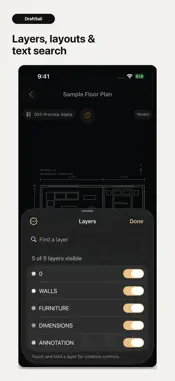
Keep your drawings close, and your workspace clear. DraftSail is a local-first CAD and DXF viewer for iPhone and iPad. Preview supported 2D drawings, organize project files, explore layers, and take reference measurements without creating an account. FORMAT SUPPORT This version previews a limited subset of 2D ASCII DXF entities. DWG files can be stored and identified, but cannot be rendered in this version. DraftSail is a viewer, not a CAD editor, and does not modify source geometry. YOUR DRAWINGS, ORGANIZED • Import from the system Files picker or Open In • Browse large drawing previews or a compact list • Create nested folders for different projects • Search, rename, pin, move, and sort library items • Restore deleted items from a 30-day Trash • Open the included floor plan to explore the tools A CLOSER LOOK • Pan, zoom, fit the drawing, or return to 100% view • Switch between Model and available paper-space layouts • Show, hide, isolate, and search layers • Find drawing text and jump to matching results • See warnings about unsupported content and drawing dependencies REFERENCE MEASUREMENTS • Measure distance, continuous distance, angles, area, and perimeter • Use object snapping to select points • Confirm units and scale when a drawing has no declared units • Review measurement and drawing-health warnings A WORKSPACE THAT FITS Choose dark, light, or system appearance. A focused interface, adaptive iPad layout, and local view restoration keep the drawing at the center of your work. LOCAL BY DEFAULT No account, advertising SDK, or cross-app tracking. Imported drawings and library activity are processed on your device. Local diagnostic reports omit drawing contents and are shared only when you choose. Offline viewing applies to files already imported into the app. Downloading files from an external provider and opening support or legal pages may require internet access. Managed drawing storage is excluded from normal device backups; keep your original source files. IMPORTANT The built-in preview engine may omit unsupported content, and displayed measurements may be incomplete or inaccurate. Measurements are for reference only. Verify critical dimensions and drawing information against the authoritative source before construction, fabrication, surveying, or other consequential use. Privacy Policy: https://zzsoftservice.github.io/draftsail/static/privacy_policy.html Terms of Use: https://zzsoftservice.github.io/draftsail/static/user_agreement.html Support: https://zzsoftservice.github.io/draftsail/support.html#english
Technical Analysis
Package Overview Basic metadata
Bundle ID
com.pixelplay.draftsail Current Version 1.0
Minimum iOS 16.0
Package Size App Store Size
Package Metadata 0 / 0 version records
Detailed binary, privacy manifest, framework, and Info.plist results have not been indexed for this package yet. The verified App Store and archive metadata above remains available.
Developer Information
Known Version Records
0 version records with stored package metadata
Stored metadata does not guarantee a package is currently available to download.
| Details | Version / IDs | Version date | Action |
|---|