Preview




Description
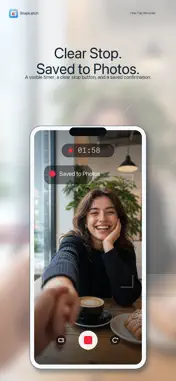
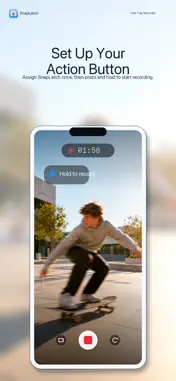
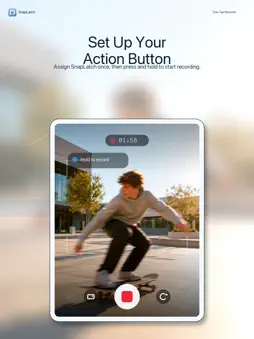
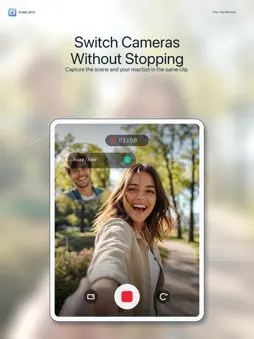
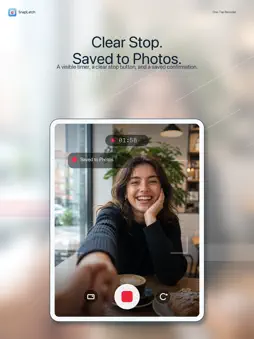
Capture the moment without searching for the record button. Launch SnapLatch to start a visible video recording. Capture a quick reaction, a pet’s next move, a street scene, or an everyday moment. Tap Stop when you’re done, and your clip saves directly to Photos. Automatic focus helps you stay ready. Want to focus on a specific subject? Tap the camera preview to adjust focus on supported cameras. You can also switch between the front and rear cameras without stopping your recording. FEATURES - Start recording automatically when you launch SnapLatch - Record video clips up to 2 minutes - Continuous autofocus and tap-to-focus on supported cameras - Switch between front and rear cameras while recording - See a clear recording timer and stop control - Save clips directly to Photos - Launch through Shortcuts or set up the Action Button on a compatible iPhone VISIBLE RECORDING. LOCAL SAVING. You always know when SnapLatch is recording. Recording stops when the app leaves the foreground—it never records secretly or in the background. SnapLatch saves your videos locally and does not upload them. First-time setup requires camera and microphone access. Photos permission is required to save clips.
What's New
Version 1.0.3 2026-09-28
- Added tap-to-focus while recording. - Improved autofocus on launch and when switching cameras. - Improved camera startup and recovery after interruptions. Technical Analysis
Package Overview Basic metadata
Bundle ID
com.alispace.quickcam Current Version 1.0.3
Minimum iOS 17.0
Package Size App Store Size
Package Metadata 0 / 0 version records
Detailed binary, privacy manifest, framework, and Info.plist results have not been indexed for this package yet. The verified App Store and archive metadata above remains available.
Known Version Records
0 version records with stored package metadata
Stored metadata does not guarantee a package is currently available to download.
| Details | Version / IDs | Version date | Action |
|---|