
Preview




Description
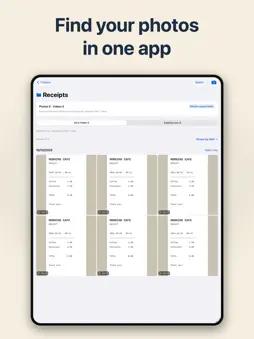
Work photos belong in work folders. Choose a folder and take a photo. FolderCam saves it straight to that folder. When the job is done, select several photos and delete them together. Your personal Photos library stays separate. New photos and videos are not automatically added to your device’s Photos library. For all kinds of work Product checks, shop displays, meetings, receipts, deliveries and equipment records: keep each task in its own folder. Find, record and organize • Search by photo title, note or place. • Add a title, note, date and place to each photo. Find and choose places with Apple Maps. • Select multiple photos to move, share or delete together. • Capture photos and videos, scan documents, and use a timer or grid. Set photo retention by folder Photos stay until you delete them by default. If you enable automatic deletion for a folder, its chosen retention period applies to new captures made afterward. Expired photos are removed when you open the app. Switch a photo to Keep before it expires if you still need it. Start free. Do more with Premium. Basic capture, app storage, date selection, standard folder retention, Photos export and direct sharing are free. FolderCam Premium adds unlimited folders, custom retention and deletion schedules, Cloud or Files saving, time and location stamps, ZIP sharing and markup undo. Choose a monthly or annual subscription, or a lifetime purchase. The current price is shown before purchase. Monthly and annual subscriptions renew automatically unless canceled. Manage or cancel your subscription in your Apple account settings. Your photos and data Photos stay on your device with no automatic upload. Optional Apple or Google sign-in uses Firebase Authentication; it does not back up photos or change Apple purchases. Firebase stores your account ID and provider profile, such as name and email. Delete the account in Settings. Files providers receive copies only when you choose Save to Cloud or Files. RevenueCat receives an anonymous customer identifier and purchase history for Premium verification, subscription management and purchase analytics. Free users may see ads in the library and after some exports; Premium removes ads. Google AdMob may process device identifiers, app interactions and approximate location for ad delivery and measurement. Location permission is requested for Use Current Location or Premium location stamps. Deleting the app deletes its library; export important photos first. Device backups follow iOS settings. Usage analytics is on by default. A previous choice to turn it off remains respected. Firebase receives app interaction events; photos, folder names and precise location are not sent. Terms of Use (Apple Standard EULA): https://www.apple.com/legal/internet-services/itunes/dev/stdeula/
What's New
Version 1.0.12 2026-10-30
• Added step-by-step guides for organizing and taking photos, tailored to why you installed FolderCam. • Improved the organizing guide so you can choose whether... Technical Analysis
Package Overview Basic metadata
Bundle ID
com.zrindy.subcamera Current Version 1.0.12
Minimum iOS 17.0
Package Size App Store Size
Package Metadata 0 / 0 version records
Detailed binary, privacy manifest, framework, and Info.plist results have not been indexed for this package yet. The verified App Store and archive metadata above remains available.
Developer Information
Known Version Records
0 version records with stored package metadata
Stored metadata does not guarantee a package is currently available to download.
| Details | Version / IDs | Version date | Action |
|---|