
Preview






Description
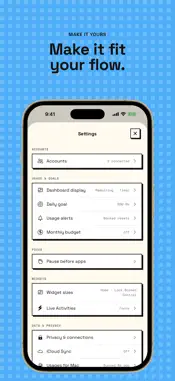
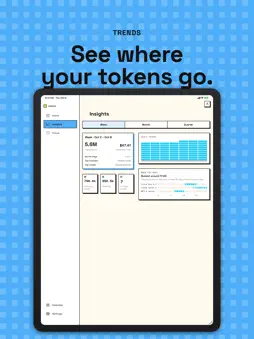
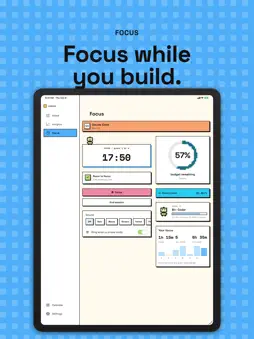
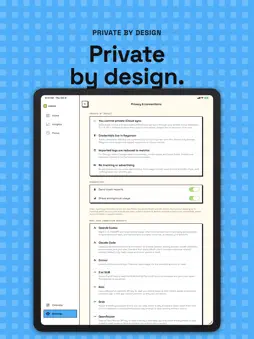
Usages brings AI coding-tool usage into one private dashboard. Connect supported AI coding services and see the usage information each provider makes available, including quota windows, reset times, token activity, cost summaries, and account status. FEATURES • View multiple providers in one dashboard • Track remaining quota and reset times • Review daily token and cost history when the provider supplies it • Set a personal daily token goal • Get usage alerts and a daily reminder at a time you pick, on time even when the app is closed • Add Home Screen widgets for quick status checks • Use Usages on iPad, with a sidebar and two-column screens • Focus with a countdown or Pomodoro timer, focus sounds, focus stats, and a breathing pause before distracting apps • Import supported local usage logs for on-device summaries USAGES PRO The free plan includes two providers and one quota alert. Usages Pro, an auto-renewable subscription, connects every provider and turns on every alert: thresholds you choose, window resets, run-out forecasts, pace, budget and your daily goal. Yearly or monthly; manage or cancel in Settings > Apple Account > Subscriptions. PRIVATE BY DEFAULT Usages has no accounts. OAuth tokens and Admin API keys are stored in the iOS Keychain and never leave your device. Usage history, settings, and imported summaries stay on your device, and can optionally sync through your own private iCloud. Server alerts upload only the numbers those alerts need, under a random install ID that is not linked to you, and can be turned off in Settings. Crash reports and anonymous product analytics never include credentials, emails, account names or usage figures, are not used for tracking, and can be turned off in Settings. No advertising. Usages is an independent app and is not affiliated with, endorsed by, or sponsored by any supported service provider. Available metrics vary by provider and account type. Terms of Use: https://www.apple.com/legal/internet-services/itunes/dev/stdeula/ Privacy Policy: https://usages.app/privacy/
What's New
Version 1.6 2026-10-19
- Daily reminder at your time: what is left on each limit and today's tokens, once a day at the time you pick. Free. - Alerts on time, even with the app closed:... Technical Analysis
Package Overview Basic metadata
Bundle ID
com.younglab.Usages Current Version 1.6
Minimum iOS 17.0
Package Size App Store Size
Package Metadata 0 / 0 version records
Detailed binary, privacy manifest, framework, and Info.plist results have not been indexed for this package yet. The verified App Store and archive metadata above remains available.
Developer Information
Known Version Records
0 version records with stored package metadata
Stored metadata does not guarantee a package is currently available to download.
| Details | Version / IDs | Version date | Action |
|---|