
Preview






Description
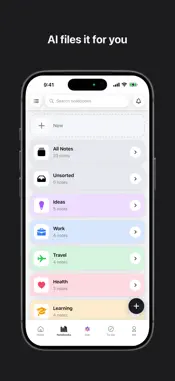
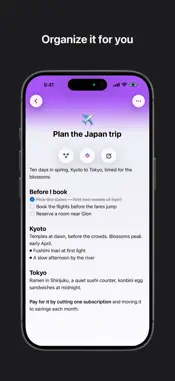
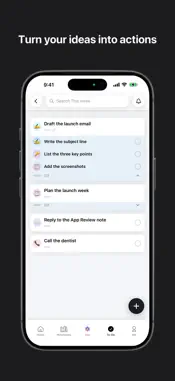
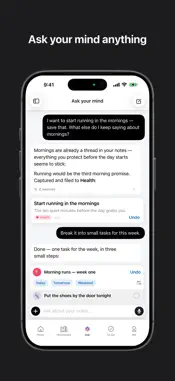
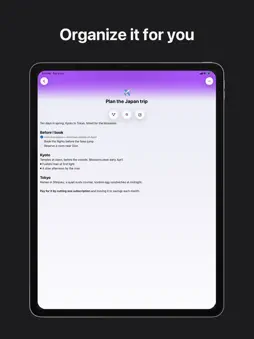
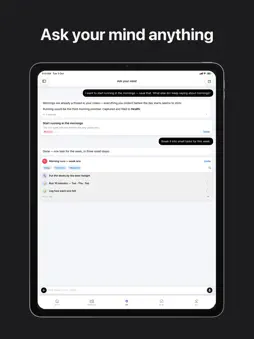
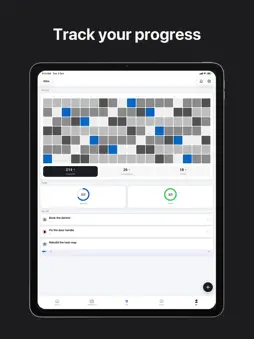
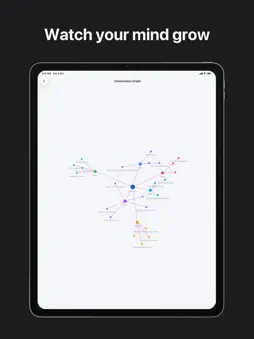
WHAT CLAIR MIND IS A private, local-first notes app. You capture a thought, it gets filed and titled for you, and over time you can see how your notes connect. Notes, notebooks, tasks and search all work fully offline and on-device. SIGNING IN — PLEASE READ The app offers Sign in with Apple and Sign in with Google only; there is no password-based login, so there are no demo credentials we can supply. Please tap "Sign in with Apple" and use your own Apple ID — account creation is instant, free, and requires no payment. Everything except the AI features works WITHOUT any account. You can install, capture notes, create tasks, browse notebooks and search with no sign-in at all. The AI features require an account because each request costs us money per call and is metered per user. Signing in is free and includes 1,000 words of AI per month at no charge. WHERE TO FIND EACH FEATURE - Capture a note: the round "+" button, bottom right of any tab. Type, then Save. The note lands in "Unsorted". - Create a task: same "+" button, then tap the checklist icon at the bottom right of the sheet to switch from note to task. - Ask AI: the "Ask" tab, centre of the bottom bar. Type a question about your notes. Requires sign-in. Past conversations are behind the history icon, top left of that screen. - Connections: open any note, then tap the flower icon above the note body. - Notebooks: the "Notebooks" tab. Tap any notebook to see its notes. - Tasks: the "To-Do" tab. Tap a list to open it; tap the circle on a row to complete it. - Your activity, plan and settings: the "Me" tab, then the gear icon, top right. FREE VS PRO - Free, after signing in: the entire app, plus 1,000 words of AI per month. - Pro (auto-renewing subscription): a much larger monthly AI allowance and voice capture (the microphone in the capture sheet and in Ask AI). - The paywall appears when the free AI allowance runs out, and from the "Unlock AI with Pro" row on the Me tab. - Restore Purchases: Me tab → gear icon → Account. ACCOUNT DELETION Me tab → gear icon → Account → Delete Account. It is a press-and-hold confirmation, then the account and its server-side data are removed. PRIVACY Notes live on the device. When you use an AI feature, the relevant note text is sent per-request to our AI provider to generate that one response; it is not stored server-side and is never used for training. This version adds analytics covering the first-run setup flow only, including a screen recording of onboarding with all typed text and images masked; recording stops before you reach your notes. Both are declared on the privacy label and in the app's privacy manifest, and described at https://clairmind.ai/privacy. CONTACT [email protected] — happy to answer anything or walk through a feature.
What's New
Version 1.3.2 2026-11-07
Clair Mind now fits any screen, reads your notes better, and turns your voice into text right on your device. ANY SCREEN, ANY WAY UP Turn your iPhone sideways....Clair Mind now fits any screen, reads your notes better, and turns your voice into text right on your device. ANY SCREEN, ANY WAY UP Turn your iPhone sideways. The app now adapts to landscape and to different screen sizes. VOICE ON YOUR DEVICE Voice typing and transcription now happen on your device, not on a server, and work on older iPhones too. BETTER NOTES Tables, highlights, callouts, footnotes and math now show properly when you read a note. A small trail above the title shows where a note lives. Typing and scrolling in long notes feel smoother. SIMPLER TASKS The task page is easier to read and you edit right on it. To-Do's Lists page now works like Notebooks. YOUR LANGUAGE The getting-started tutorial now follows the app's language. Plus smaller fixes, including an Undo button that is always easy to tap. Technical Analysis
Package Overview Basic metadata
Bundle ID
ai.clairmind.app Current Version 1.3.2
Minimum iOS 18.0
Package Size App Store Size
Package Metadata 0 / 0 version records
Detailed binary, privacy manifest, framework, and Info.plist results have not been indexed for this package yet. The verified App Store and archive metadata above remains available.
Developer Information
Known Version Records
0 version records with stored package metadata
Stored metadata does not guarantee a package is currently available to download.
| Details | Version / IDs | Version date | Action |
|---|