Preview






Description
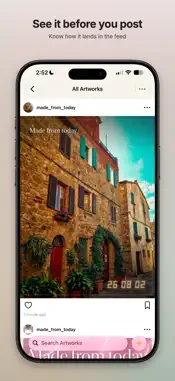
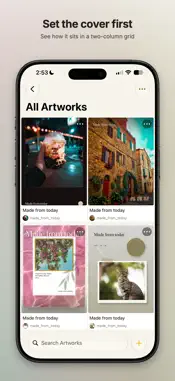
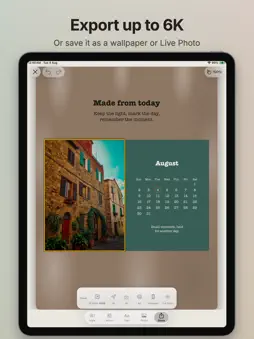
Dottelier turns a photo into a finished piece — a card, a poster, a colour study. Bring in a photo. Dottelier reads it on your device, proposes a style, a layout and a ratio, then hands you the controls. FOURTEEN STYLES Motion, Kinetic Poster, Camera, CCD, Big Type, Postcard, Editorial, Journal, Sky Notes, Glow Grid, Palette, Lenses, Spectrum and Protect. LAYOUT • 16 layouts, from a single frame to an adaptive grid. • 6 canvas ratios: 1:1, 3:4, 4:5, 9:16, 4:3 and 16:9. • Up to 9 photos in one piece, reorderable and individually recropped. CUTOUT, ON YOUR DEVICE • Add Cutout lifts the subject out of a photo. Remove Background and Extract as New Layer do the rest. • All of it runs through Apple's own Vision framework. Your photos never leave the device. • When no clear subject is found, your original photo is left untouched and Dottelier tells you so, rather than quietly handing you a bad mask. TEXT AND COLOUR • A title and subtitle on every style, in four typefaces: Sans, Rounded, Serif and Mono. • Colours are pulled from your own photo and laid out as a palette you can drag and resize, each swatch showing its hex value and share of the image. • Canvas Vignette and Background Blur, plus per-layer Blur, Shadow and Vignette. EXPORT • 2K (2048 px), 4K (4096 px) and 6K (6000 px) on the long edge. • Wallpaper, rendered at your device's exact screen resolution so nothing is upscaled. • Live Photo, saved straight to Photos. • GIF from the Palette and Lenses styles; video whenever the piece has motion. • Exports are freshly drawn pixels — no EXIF or GPS travels from your source photos. PRIVACY IS THE DEFAULT • Dottelier makes no network requests of any kind. No account, no sign-in, no analytics, no advertising, no third-party SDK. • Your work is stored in the app's own folder on your device. • The Protect style and the Privacy Brush let you paint and erase a mosaic by hand over anything you'd rather not show. ALSO • Start in the Photos app: select up to 12 photos and create with Dottelier straight away. • Ask Siri to start a new piece in Dottelier. • A works library with grid and list views, renaming, duplicating, search, and Recently Deleted with restore. • iPhone and iPad. Requires iOS 17 or later. Dottelier Pro unlocks every style, animated export, and exports without the watermark. Four styles — Motion, Big Type, Palette and Protect — are free, and everything you have already made stays yours and stays editable. Terms of Use (EULA):https://www.apple.com/legal/internet-services/itunes/dev/stdeula/
Technical Analysis
Package Overview Basic metadata
Bundle ID
com.zion.dottelier Current Version 1.0
Minimum iOS 17.0
Package Size App Store Size
Package Metadata 0 / 0 version records
Detailed binary, privacy manifest, framework, and Info.plist results have not been indexed for this package yet. The verified App Store and archive metadata above remains available.
Known Version Records
0 version records with stored package metadata
Stored metadata does not guarantee a package is currently available to download.
| Details | Version / IDs | Version date | Action |
|---|