
Preview









Description
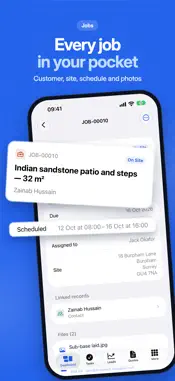
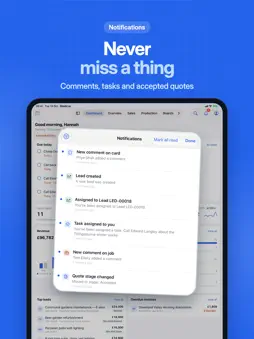
Enquiry. Quote. Job. Invoice. Paid. Stedd.io is the lead-to-paid platform for small businesses, and this is it in your pocket. One record follows every piece of work from first enquiry to final payment, so you can keep things moving on site, in the van or between visits. YOUR DAY AT A GLANCE • Today’s tasks and jobs, and anything that needs chasing • Money owed, work won and invoiced this month • Tick tasks off as you go LEADS AND QUOTES • Every open lead and what it’s worth • Move leads through your pipeline and mark them won or lost • View quotes and send them by email, with the PDF your customer sees • Know the moment a quote is accepted JOBS • Every job with its customer, site, schedule, notes and files • Add photos straight from the camera; they upload when you’re back in signal • Call, email or get directions to site from the record INVOICES AND PAYMENTS • See which invoices are paid, part-paid or overdue • Record a payment as soon as it lands PROJECT BOARDS • Track any process on its own board: design projects, maintenance rounds, snagging • See what’s overdue, due this week or yours on every board • Move a card on, add a comment, tick off its tasks or add a photo • Carry a lead, quote or job onto a board when it needs more steps • Collections show how far a group of cards has got, across boards • The schedule shows who and what is booked each day: people, vans and kit STAY IN THE LOOP • Notifications for accepted quotes, new tasks and mentions • Live updates while the app is open • Find any contact, company, lead, quote or job in seconds WORKS ON THE MOVE • Recently viewed records stay available with no signal • Home Screen and Lock Screen widgets for tasks, your schedule and key figures • Siri and Shortcuts: “What’s on my schedule today?” One record. Five stages. Zero re-keying. The Stedd.io app is for businesses that already use Stedd.io - Sign in with your Stedd.io email and password.
What's New
Version 1.1 2026-11-12
Do more from your phone and iPad • Build quotes, jobs, invoices and credit notes in the app: items, kits, one-off lines, discounts, tax, cost and margin, and th...Do more from your phone and iPad • Build quotes, jobs, invoices and credit notes in the app: items, kits, one-off lines, discounts, tax, cost and margin, and the summary lines your customer sees. • Purchase orders: raise them, email them to suppliers, and record deliveries as goods arrive. Jobs show what’s been ordered and received against the estimate. • Projects, payments and credit notes have their own pages: tick off milestones, view receipts, and approve credit notes or apply them to invoices. • Catalogue: browse, create and edit items and kits. • Edit details on leads, jobs, companies and contacts, including custom fields, and company tags and addresses. • Comments: @mention people. iPad and iPhone Duo • See leads, quotes and jobs as a board, and drag them between stages. • A tidier Dashboard, with no gaps between widgets. • iPhone Duo works folded and unfolded, and keeps your place as you fold. Unfolded, lists sit beside the record you’ve opened. Boards • A card shared across several boards shows every board it’s on, with each board’s fields. Live updates and notifications • Changes made by your team appear as they happen, with no need to pull to refresh. • Get notifications from all your businesses. Tapping one switches to the right business first. Widgets • New My tasks widget for the Home Screen and Lock Screen: all your open tasks, overdue first. • Tasks due is now called Due today. Technical Analysis
Package Overview Basic metadata
Bundle ID
io.stedd.app Current Version 1.1
Minimum iOS 26.0
Package Size App Store Size
Package Metadata 0 / 0 version records
Detailed binary, privacy manifest, framework, and Info.plist results have not been indexed for this package yet. The verified App Store and archive metadata above remains available.
Developer Information
Known Version Records
0 version records with stored package metadata
Stored metadata does not guarantee a package is currently available to download.
| Details | Version / IDs | Version date | Action |
|---|