Preview




Description
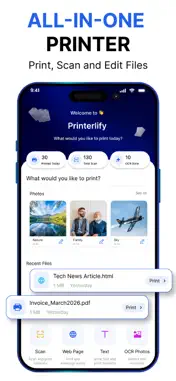
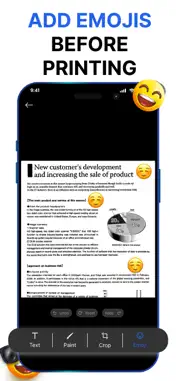
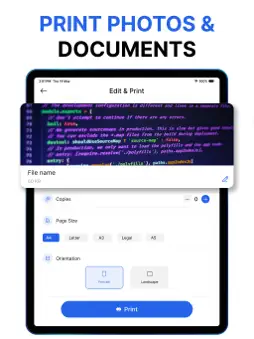
Print, scan, edit, and manage documents from your iPhone with one powerful printer app. Printer App makes everyday printing simple. Print photos and documents, scan paper documents with your camera, extract text from images using OCR, and prepare files before printing—all from one convenient app. Whether you need to print a PDF, photo, document, web page, or text note, the app gives you the tools to prepare and print your content quickly. PRINT PHOTOS & DOCUMENTS Print your important files and favorite photos directly from your iPhone. Preview your content and configure printing options before sending it to your printer. SCAN DOCUMENTS Turn your iPhone into a portable document scanner. Capture invoices, receipts, notes, forms, letters, and other paper documents whenever you need them. OCR – EXTRACT TEXT FROM PHOTOS Use OCR technology to recognize and extract text from images. Copy detected text and use it without manually typing everything again. EDIT BEFORE PRINTING Prepare your documents before you print. Use convenient editing tools to customize your content and get the result you need. Editing tools include: Crop documents and images Add custom text Draw and paint on documents Add emojis Preview before printing Undo, redo, and reset changes FLEXIBLE PRINT SETTINGS Adjust important printing options before sending your document to the printer. Choose the number of copies, select common paper sizes such as A4, Letter, A3, Legal, and A5, and switch between portrait and landscape orientation. PRINT DIFFERENT TYPES OF CONTENT Keep your printing tasks together in one place. Print photos, documents, files, web pages, and text notes without switching between multiple apps. MADE FOR EVERYDAY PRINTING From work documents and invoices to school materials, forms, photos, receipts, and personal files, Printer App provides a simple workflow for scanning, editing, and printing. Turn your iPhone into an all-in-one printing and scanning companion. Terms OF Use = "https://zen-tech-sigma.vercel.app/terms-of-use" Privacy Policy = "https://zen-tech-sigma.vercel.app/privacy-policy" Terms of Use (EULA) - https://www.apple.com/legal/internet-services/itunes/dev/stdeula/
Technical Analysis
Package Overview Basic metadata
Bundle ID
com.zentech.apps.smart.printer.app.zenprint Current Version 1.0
Minimum iOS 16.6
Package Size App Store Size
Package Metadata 0 / 0 version records
Detailed binary, privacy manifest, framework, and Info.plist results have not been indexed for this package yet. The verified App Store and archive metadata above remains available.
Known Version Records
0 version records with stored package metadata
Stored metadata does not guarantee a package is currently available to download.
| Details | Version / IDs | Version date | Action |
|---|