Preview
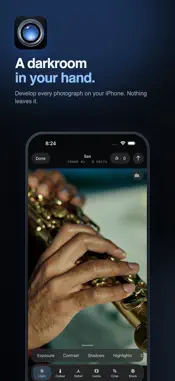


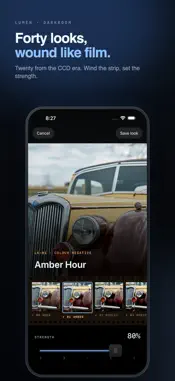
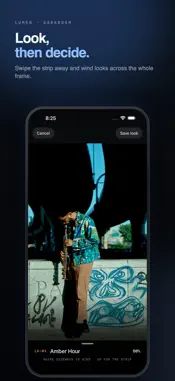






Description
Lumen Darkroom is a focused photo editor for iPad that keeps your work clear, local, and reversible. Bring in a photograph and shape it with precise tools for light, colour, detail, crop, rotation, and masking. Your original stays preserved while every change remains part of a recoverable edit history. Built for the tablet, not shrunk onto it: • A single touch drives whichever tool is in your hand, with hand, move, marquee, lasso, zoom, select subject, paint, sample, and type. • Apple Pencil pressure feeds the brush engine directly, modulating tip size and flow as you draw. • Two fingers pan and zoom, a two-finger tap undoes, and a long press opens the full context menu. • Attach a keyboard and every desktop shortcut is there. Made for thoughtful, hands-on editing: • Adjust exposure, contrast, RGB and per-channel tone curves, temperature, tint, saturation, and vibrance. • Inspect the red, green, or blue channel as a grayscale plate on the canvas. • Develop supported camera RAW files with controls for exposure, white balance, detail, noise, and local tone. • Refine detail with sharpening, blur, vignette, film grain, and monochrome controls. • Crop, rotate, and flip with predictable output. • Paint, erase, clone, and heal on editable pixel layers with procedural brush tips, symmetry, and dodge and burn. • Select a foreground subject and export it as a transparent PNG. • Read a live histogram and sample RGB or LAB colour values. • Organize your work with layers, masks, blend modes, visibility, opacity, snapshots, undo, redo, and history travel. • Save a complete .lumen document with the source image, edit history, preview, and selection mask. • Keep documents in iCloud Drive and open the same document on your iPad and your Mac. • Export colour-managed PNG, JPEG, TIFF, and HEIC files, or add the result straight to your photo library. Lumen uses native Apple technologies and does not upload your photographs. Your files stay on your iPad unless you choose to export or share them. There is no account and no login. Lumen on iPad is landscape and requires an iPad running iPadOS 17 or later.
What's New
Version 1.0.9 2026-11-18
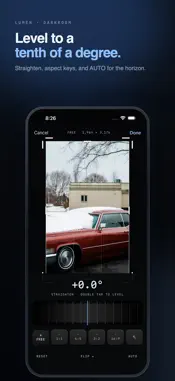
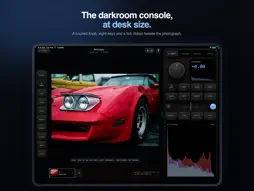
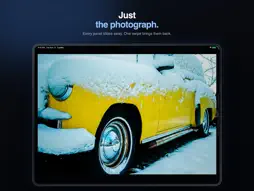
The App is on sale through the holidays. Get a copy now. A new look for every screen, and new looks for every photograph. - A new app icon and launch screen: ...The App is on sale through the holidays. Get a copy now. A new look for every screen, and new looks for every photograph. - A new app icon and launch screen: a machined dial with a glass core. - Twenty CCD looks on a new shelf, ten colour and ten black and white, modelled on the rangefinders, medium format backs and pocket cameras of the CCD era. - iPhone: pick an edit and a knurled dial comes up. Swipe it down to a slim edge to see the photograph while you keep turning, and swipe again to close. The looks strip tucks away the same way. - iPad and Mac: a new darkroom console beside the photograph, with a knob, eight keys and a tick ribbon. Tool options live in the console, and the layers sit on a roll of film under the photo. - Photo only: slide every panel away for the whole photograph, and bring them back with a swipe, a click or F. - Type is easier to set and colour, and stays put while you type. - Faster previews and smaller fixes throughout. Technical Analysis
Package Overview Basic metadata
Bundle ID
com.raastey.lumen Current Version 1.0.9
Minimum iOS 17.0
Package Size App Store Size
Package Metadata 0 / 0 version records
Detailed binary, privacy manifest, framework, and Info.plist results have not been indexed for this package yet. The verified App Store and archive metadata above remains available.
Developer Information
Known Version Records
0 version records with stored package metadata
Stored metadata does not guarantee a package is currently available to download.
| Details | Version / IDs | Version date | Action |
|---|