Preview





Description
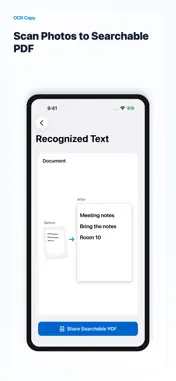
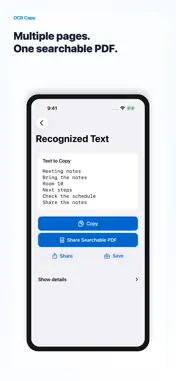
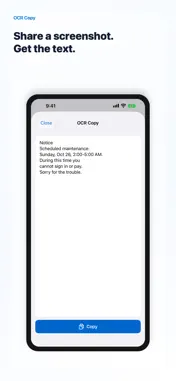
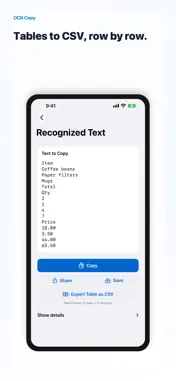
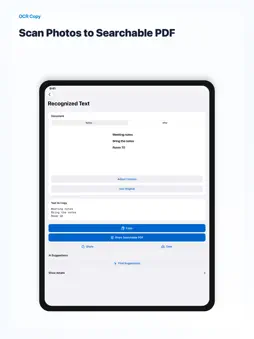
Turn documents you photograph and photos you already have into straight, clear pages in a searchable PDF. Read up to 20 photos together and share them as a multipage PDF. Correct perspective and tilt, or adjust the corners yourself. Create the PDF from your current reading result, with your approved text corrections included. PDFs cannot be exported again from saved text history. On the wide display of iPhone Duo and wider iPads, you can review the document and recognized text side by side. On supported iPhone models, on-device AI suggests text corrections. Compare them with the original: only suggestions you review and apply are used. Changes to numbers or amounts need individual review. AI requires a supported OS, device and language, with Apple Intelligence ready to use. Copy text, edit individual lines, save text and copy it again later. Read text from the share menu or Shortcuts, and export detected tables to CSV on iOS 26 or later. Images and text are processed on your device. No account, ads or tracking. Free and OCR Copy Pro: - Free: read text 5 times a day. One photo with text, one copy from Scan Live, or one shared image counts as one read. Copying, saving and CSV export never count, and the count starts over at midnight - If you used OCR Copy before version 1.5, reading stays unlimited - OCR Copy Pro removes the daily limit in the app, the share sheet and Shortcuts. Yearly (with a 1-week free trial) or monthly Payment is charged to your Apple Account. The subscription renews automatically unless it is canceled at least 24 hours before the end of the current period. You can manage or cancel it in your App Store account settings. Terms of Use: https://www.apple.com/legal/internet-services/itunes/dev/stdeula/ Privacy Policy: https://zec-inc.jp/privacy
What's New
Version 1.9.0 2026-10-31
On the wide display of iPhone Duo and wider iPads, your document and recognized text now sit side by side, so you can edit without looking back and forth. Pages... Technical Analysis
Package Overview Basic metadata
Bundle ID
com.zec.OCRCheck Current Version 1.9.0
Minimum iOS 17.0
Package Size App Store Size
Package Metadata 0 / 0 version records
Detailed binary, privacy manifest, framework, and Info.plist results have not been indexed for this package yet. The verified App Store and archive metadata above remains available.
Developer Information
Known Version Records
0 version records with stored package metadata
Stored metadata does not guarantee a package is currently available to download.
| Details | Version / IDs | Version date | Action |
|---|