Preview





Description
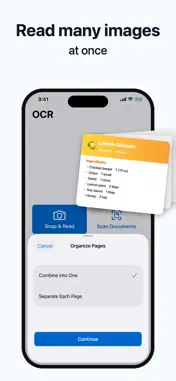
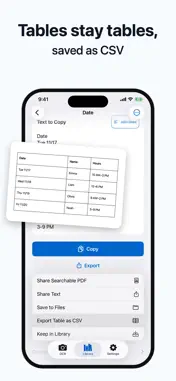
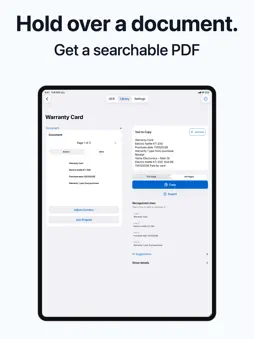
Copy all the text from a screenshot or photo without dragging to select it. Read many images at once, keep tables as rows and columns in CSV, and join lines broken by a book or handout into one paragraph. Photo selection: up to 100 images with Pro, up to your remaining daily reads for free, and up to 20 through sharing. TEXT YOU CAN USE RIGHT AWAY - Turn screenshots and photos into text straight from the share sheet - Read many images at once, combined or one result per image - Tables stay as rows and columns for CSV. Join broken lines into one paragraph - Shaky lines are highlighted. On supported iPhones, on-device AI suggests fixes you review before applying - Scan Live: just point the camera DOCUMENTS AND PDFS - Hold your iPhone over a document for automatic capture, with skew correction, saved as a searchable PDF - Read PDFs: text PDFs are extracted as is, scanned PDFs are read page by page (up to 50 pages at a time) YOUR LIBRARY - Add titles and sort results into groups - Full-text search, ignoring differences in width, case and line breaks - Find results from iPhone Search (Off, Title, or Title and Text) - Export the whole Library as text, a searchable PDF or a ZIP Processed and saved on device - Images and text are processed and stored on your device, without sending them to external servers. - Lock with Face ID. No account, ads or tracking. Free and OCR Copy Pro: - Free: read text 5 times a day. One photo with text, one page captured with the document camera, one copy from Scan Live, or one shared image counts as one read. Pages beyond your remaining reads for the day are not read. Each page of a scanned PDF counts as one read. Text PDFs, copying, the Library and exports never count, and the count starts over at midnight - If you used OCR Copy before version 1.5, reading stays unlimited - OCR Copy Pro removes the daily limit in the app, the share sheet and Shortcuts, and lets you create unlimited groups (3 on the free plan). Yearly (with a 1-week free trial) or monthly The annual plan’s free trial is available only to eligible users. Payment is charged to your Apple Account. The subscription renews automatically unless it is canceled at least 24 hours before the end of the current period. You can manage or cancel it in your App Store account settings. Please use other people’s books and writing only as copyright law allows where you live. Terms of Use: https://www.apple.com/legal/internet-services/itunes/dev/stdeula/ Privacy Policy: https://zec-inc.jp/privacy
What's New
Version 1.14.0 2026-11-11
Turn any photo into text right from the Share button. • "Read Text with OCR Copy" now appears in the Share sheet's list. Pick a screenshot or a recipe photo an... Technical Analysis
Package Overview Basic metadata
Bundle ID
com.zec.OCRCheck Current Version 1.14.0
Minimum iOS 17.0
Package Size App Store Size
Package Metadata 0 / 0 version records
Detailed binary, privacy manifest, framework, and Info.plist results have not been indexed for this package yet. The verified App Store and archive metadata above remains available.
Developer Information
Known Version Records
0 version records with stored package metadata
Stored metadata does not guarantee a package is currently available to download.
| Details | Version / IDs | Version date | Action |
|---|