
Preview







Description
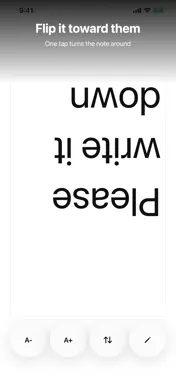
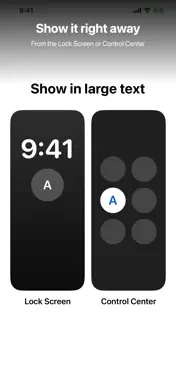
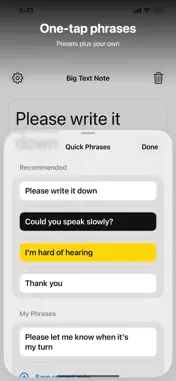
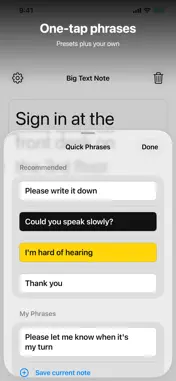
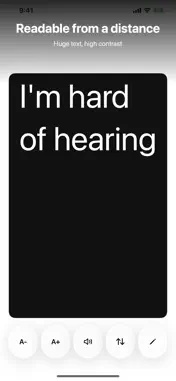
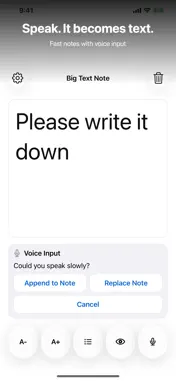
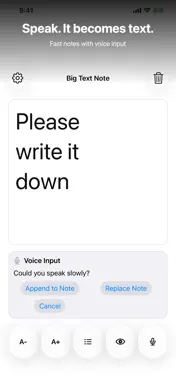
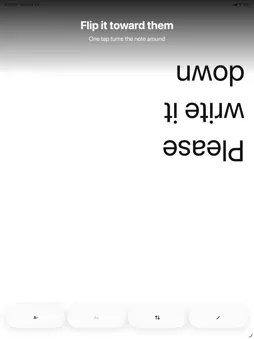
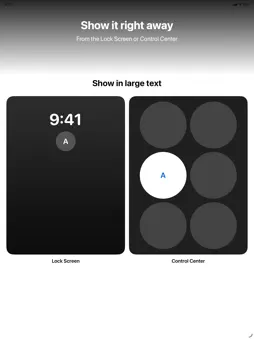
No ads, no account, and no internet connection. Big Text Note shows one note in large, easy-to-read text so you can hold it up to the person in front of you. It works as a simple communication board: for talking with someone who is deaf or hard of hearing, for the days when your own voice is not available, for noisy places like stations and event halls, or for a quick word at a counter or reception desk. Type it, show it, and if needed, let the device say it. Read Aloud speaks the note with the voices built into your iPhone or iPad. The language is detected from the text, and nothing is sent to a server. Voice input turns what the other person says into text on the device. You choose whether to append the result to the note or replace it. Audio is never saved; only the text you keep is stored. Show mode turns the note into a clear message board. Pick Normal, Large, or Huge, fine-tune the size, and choose text and background colors, including high-contrast pairs. Flip the note upside down for the person across the table, or turn your iPhone sideways for one long line. The screen stays on while Show mode is open. Quick Phrases keeps four ready-made lines and up to 20 of your own, one tap away. Reorder your phrases whenever you like. Add the Home Screen widget to keep the current note in view. No account, no ads, no tracking, and no server sync. The note stays on your device. Write to talk, flip for the person across, or open straight from the Lock Screen and Control Center. On iPhone Duo’s larger display, write on the left and show an automatically enlarged message on the right.
What's New
Version 1.7.0 2026-10-30
Text now fits the screen automatically. Show a saved phrase with one tap from Control Center or Shortcuts. On iPhone Duo and larger screens, write on the left a... Technical Analysis
Package Overview Basic metadata
Bundle ID
com.zec.BigTextNote Current Version 1.7.0
Minimum iOS 17.0
Package Size App Store Size
Package Metadata 1 / 3 version records
Detailed binary, privacy manifest, framework, and Info.plist results have not been indexed for this package yet. The verified App Store and archive metadata above remains available.
Known Version Records
1 version record with stored package metadata • 3 known version records
Stored metadata does not guarantee a package is currently available to download.
| Details | Version / IDs | Version date | Action |
|---|---|---|---|
| 1.7 MB | v1.3.0 App Store ID: 887832040Build: 1.3.0 | 2026-09-16 15:42:50 | Get Version |
| Not archived | App Store ID: 886659544 | Unknown | Request Version |
| Not archived | App Store ID: 885458013 | Unknown | Request Version |