Preview




Description
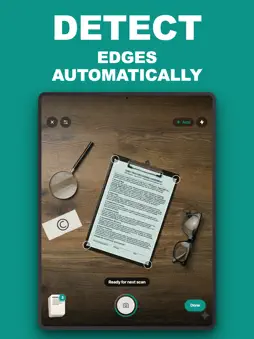
SnapText turns any photo into editable text in seconds. Powered by advanced OCR technology, it's the fastest way to extract text from documents, receipts, notes, books, signs, and screenshots. SCAN WITH PRECISION Your iPhone becomes a powerful document scanner. SnapText auto-detects document edges, corrects perspective, and enhances clarity. Choose from color, grayscale, or black & white filters to get the cleanest scan every time. EXTRACT TEXT INSTANTLY Point your camera at any printed text and let SnapText do the work. Advanced ML-powered OCR delivers fast, accurate results — no manual typing required. BATCH SCANNING Scanning a multi-page document? Batch mode lets you capture multiple pages in a single session with auto or manual capture. Perfect for contracts, notebooks, and reports. IMPORT EXISTING PDFs Already have a PDF? Import it directly and extract text from every page automatically. EDIT & REVIEW View extracted text with real-time character, word, and line counts. Edit directly in the app before sharing or saving. EXPORT YOUR WAY Save results in the format you need: - TXT for plain text - PDF for professional documents - DOCX for editable Word files - JPEG to share scanned images STAY ORGANIZED Create folders, rename files, and search your document history. Everything you scan is stored and easy to find. PROTECT YOUR FILES Lock sensitive documents with a 4-digit passcode. Your private scans stay secure on your device. 9 LANGUAGES SUPPORTED SnapText works in English, Spanish, French, German, Russian, Arabic, Hindi, Japanese, and Chinese — for both the app interface and text recognition. LIGHT & DARK MODE Seamlessly adapts to your system appearance, or choose your preferred theme manually. HOW IT WORKS 1. Tap Scan or choose an image from your Photo Library 2. Crop and adjust for the best result 3. SnapText extracts text automatically 4. Review, edit, copy, or share 5. Save as TXT, PDF, or DOCX SNAPTEXT PRO Upgrade to unlock the full experience: - Unlimited scans - Batch scanning - Full OCR text recognition - PDF export without watermarks - Ad-free experience Cancel anytime. Subscription details and terms are available at checkout. Whether you're a student digitizing lecture notes, a professional converting invoices, or a traveler capturing signs abroad — SnapText replaces manual typing with a single tap. Download SnapText and start scanning today. Terms of Use: https://notelark.web.app/snaptext-terms Privacy Policy: https://notelark.web.app/snaptext-privacy Support: [email protected]
What's New
Version 1.4 2026-04-29
What's New in Version 1.4 • Added support for 40 languages — SnapText is now fully localized for users around the world • Performance improvements for faster s...What's New in Version 1.4 • Added support for 40 languages — SnapText is now fully localized for users around the world • Performance improvements for faster scanning and text extraction • Stability fixes for a smoother, more reliable experience Thank you for using SnapText. More features coming soon! Technical Analysis
Package Overview Basic metadata
Bundle ID
uz.zarifergashev.textExtraction Current Version 1.4
Minimum iOS 15.6
Package Size App Store Size
Package Metadata 1 / 3 version records
Detailed binary, privacy manifest, framework, and Info.plist results have not been indexed for this package yet. The verified App Store and archive metadata above remains available.
Developer Information
Known Version Records
1 version record with stored package metadata • 3 known version records
Stored metadata does not guarantee a package is currently available to download.
| Details | Version / IDs | Version date | Action |
|---|---|---|---|
| 103.37 MB | v1.4 App Store ID: 883986854Build: 1.4 | 2026-04-29 22:09:20 | Get Version |
| Not archived | App Store ID: 882887994 | Unknown | Request Version |
| Not archived | App Store ID: 882727994 | Unknown | Request Version |