
Preview




Description
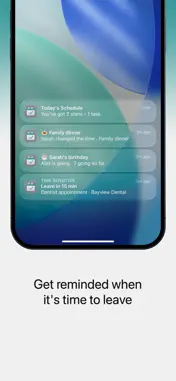
One tap. Plans actually happen. Plan your events and to-dos on one simple timeline. No more group chat mess. No more "what time again?" No more plans that fall apart. FOCUS ON WHAT'S NEXT A busy mind loses track fast. PlanThat shows you one simple timeline, not a long list. Focus Mode cuts through the noise and shows only what matters next. Less stress. More done. NOTES Packing lists, gift ideas, the door code for the cabin. Notes keeps them right beside your plans. Add headings, bold, bullets, and checklists, pin the ones you use most, and share a note with your group so everyone works from the same list. Your plans and to-dos get the same rich formatting too. On Mac, Notes opens in its own window. ON EVERY SCREEN YOU USE iPhone, iPad, Mac, and Apple Watch. Your timeline follows you, so the plan is always a glance away. The Mac app is built natively for the desktop, with room to see your whole week at once. GREAT FOR GROUPS You shouldn't be the only one who remembers. Share a plan and everyone sees the same thing at the same time. The people you invite don't even need the app. WORKS WITH YOUR CALENDARS The events you already keep in Apple Calendar and Google Calendar show up right on your PlanThat timeline, so everything lives in one place. They stay read-only until you choose to turn one into a full PlanThat plan you can edit and share. MEET AVA Ava is your planning assistant. Ask for what you need in plain words and she suggests plans you can accept or skip. Nothing lands on your timeline until you say so. GET A REAL RSVP Tired of "maybe" and no reply? Send a link and let people RSVP in seconds. No account needed. Now you know who's coming. NEVER MISS A DUE DATE Give any to-do a deadline and PlanThat reminds you before time runs out. A quick "Due soon" or "Overdue" tag keeps the important things in view. KNOW WHEN TO LEAVE See the weather and drive time on a plan, and get a reminder when it's time to go. ALWAYS WITH YOU Keep your next plan on your Lock Screen and Dynamic Island. The details stay with you. SPEAKS YOUR LANGUAGE Fully translated into English, Spanish, Portuguese, French, German, and Greek. Type a plan in your own words and PlanThat understands it. PERFECT FOR • Families • Couples • Friend groups • Busy professionals • School and sports schedules • Travel and events WHY PEOPLE LOVE PLANTHAT • Everyone stays in sync, so you're not the only one who remembers • Just type it. "Dinner Friday 7pm" becomes a plan instantly • Focus Mode shows only what's next, not an endless list. Great for ADHD and busy minds • One shared timeline instead of scattered group chats • Shared notes and checklists that live right next to your plans • The same plans on your iPhone, iPad, Mac, and Apple Watch PLANTHAT+ • Group plan sharing • Share plans with a link • RSVP with guest management • Ava, your planning assistant • Live weather and drive time • Live Activities, including "time to leave" reminders Privacy Policy and Terms of Service: https://planthat.app/legal-privacy https://planthat.app/legal-terms
What's New
Version 8.1.1 2026-11-17
- Accent colors: choose from six presets to personalize buttons, highlights, and widgets - Cost: add an amount to any plan or to-do, in your preferred currency ...- Accent colors: choose from six presets to personalize buttons, highlights, and widgets - Cost: add an amount to any plan or to-do, in your preferred currency - Insights now shows your planned spending, with more accurate totals that stay up to date - A refreshed Apple Watch detail view for plans and to-dos - Adaptive layouts for iPhone Duo - Bug fixes and performance improvements Technical Analysis
Package Overview Basic metadata
Bundle ID
griffin.app.ios.PlanThat Current Version 8.1.1
Minimum iOS 18.6
Package Size App Store Size
Package Metadata 0 / 6 version records
Detailed binary, privacy manifest, framework, and Info.plist results have not been indexed for this package yet. The verified App Store and archive metadata above remains available.
Known Version Records
0 version records with stored package metadata • 6 known version records
Stored metadata does not guarantee a package is currently available to download.
| Details | Version / IDs | Version date | Action |
|---|---|---|---|
| Not archived | App Store ID: 887878223 | Unknown | Request Version |
| Not archived | App Store ID: 887238796 | Unknown | Request Version |
| Not archived | App Store ID: 886911460 | Unknown | Request Version |
| Not archived | App Store ID: 886859450 | Unknown | Request Version |
| Not archived | App Store ID: 886742525 | Unknown | Request Version |
| Not archived | App Store ID: 882658608 | Unknown | Request Version |