Preview


Description
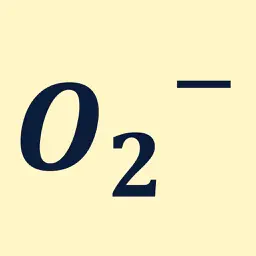
Struggling to type math symbols on your phone? Math Keyboard is a custom keyboard that lets you input the symbols, Greek letters, superscripts, subscripts, and more commonly used in math and physics — directly from your keyboard. No more searching the web every time just to copy a symbol. From class notes and reports to chats and memos, type math expressions smoothly in any app. 【Key Features】 Superscript / subscript for numbers, letters, and symbols Full Greek alphabet support Rich set of math symbols (basic) Custom keyboard support 【Highlights】 Same look and feel as the standard keyboard Shift key to toggle superscript / subscript (or uppercase / lowercase) Easy tab switching within the keyboard Long-press the Space key to move the cursor Add and reorder categories 【About Pro】 The free version has limited categories. Upgrade to Pro to unlock all categories, including: Standard alphabet Advanced math symbols (calculus) Arrows Logic & sets Custom keyboard You can also switch the alphabet display style between italic and regular. ※ This in-app purchase is a one-time payment. ※ To use this keyboard, you need to add it and enable "Allow Full Access" in the Settings app. (We do not collect any of your input — your privacy is fully protected.)
What's New
Version 4.1 2026-05-27
Fixed an issue where users who had already purchased Pro could no longer access Pro categories after updating or reinstalling the app. If the issue still persis...Fixed an issue where users who had already purchased Pro could no longer access Pro categories after updating or reinstalling the app. If the issue still persists, please contact us through Support. Technical Analysis
Package Overview Basic metadata
Bundle ID
yuta-nishimatsu.math-keyboard Current Version 4.1
Minimum iOS 26.2
Package Size App Store Size
Package Metadata 1 / 5 version records
Detailed binary, privacy manifest, framework, and Info.plist results have not been indexed for this package yet. The verified App Store and archive metadata above remains available.
Known Version Records
1 version record with stored package metadata • 5 known version records
Stored metadata does not guarantee a package is currently available to download.
| Details | Version / IDs | Version date | Action |
|---|---|---|---|
| 1.53 MB | v4.1 App Store ID: 886172291Build: 4.1 | 2026-05-27 18:47:07 | Get Version |
| Not archived | v4.0 App Store ID: 886075258Build: 4.0 | 2026-05-25 09:40:26 | Request Version |
| Not archived | v3.0 App Store ID: 882378923Build: 3.0 | 2026-02-16 17:58:54 | Request Version |
| Not archived | v2.0 App Store ID: 881369194Build: 2.0 | 2026-01-11 00:10:22 | Request Version |
| Not archived | v1.0 App Store ID: 881187968Build: 1.0 | 2026-01-09 18:40:26 | Request Version |