
Preview






Description
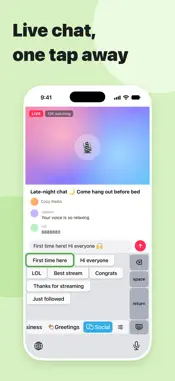
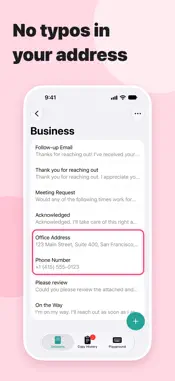
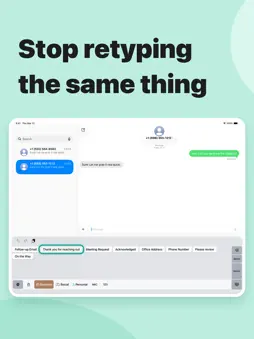
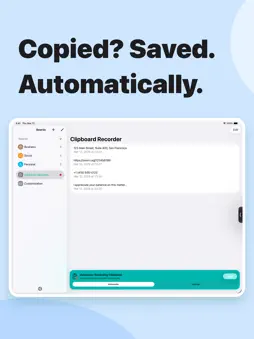
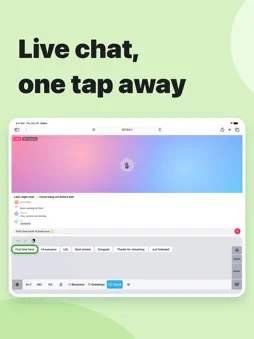
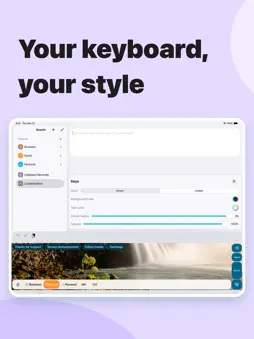
Tired of typing the same phrases over and over? Ever wanted to use something you copied earlier? CannedText keeps your frequently used phrases and copied text in one place, ready to insert from the keyboard in any app. ■ Insert Snippets Right from the Keyboard Save the phrases you use often and insert them with a single tap on the CannedText keyboard. Perfect for emails, chats, customer support replies, social media posts, and more. Organize snippets into boards. Snippets can include today's date or your clipboard contents, and can set where the cursor lands after inserting. ■ A Keyboard You Can Use Every Day CannedText includes a QWERTY keyboard with numbers and symbols, plus a Japanese keyboard with flick input and kana-kanji conversion. Touch and hold the space bar, then move your finger to move the cursor up, down, left, or right. ■ Keep Your Copy History Record text you copy in other apps and insert it from the keyboard. Tap the Live Activity to record only what you need. Tap an item in your copy history to copy it again, or select several items and add them to a board at once. ■ Easy One-Handed Typing on Large Screens Shift the keyboard to the left or right and adjust its width and height. Even on a large iPhone, the keys stay within reach of your thumb, so typing with one hand is easy. To switch sides, just tap the empty space next to the keyboard. ■ Make the Keyboard Your Own Set the background to a solid color, a gradient, or your own photo, and change the key colors. ■ More Features - iCloud sync keeps your snippets and copy history on all your devices - Drag and drop snippets and copy history into other apps - Add snippets and record your clipboard from widgets and Shortcuts ■ CannedText Pro Upgrade to CannedText Pro to get: - Automatic clipboard recording - Unlimited snippets (up to 5 in the free version) - Unlimited boards Terms of Use: https://www.apple.com/legal/internet-services/itunes/dev/stdeula/
What's New
Version 3.0.0 2026-10-29
■ Change the Keyboard's Size and Position - Shift the keyboard to the left or right and adjust its width and height. One-handed typing is easier, even on larger... Technical Analysis
Package Overview Basic metadata
Bundle ID
com.yuhnote.CannedText Current Version 3.0.0
Minimum iOS 18.0
Package Size App Store Size
Package Metadata 1 / 15 version records
3.9 / 5.0 (13 ratings)
Detailed binary, privacy manifest, framework, and Info.plist results have not been indexed for this package yet. The verified App Store and archive metadata above remains available.
Known Version Records
1 version record with stored package metadata • 15 known version records
Stored metadata does not guarantee a package is currently available to download.
| Details | Version / IDs | Version date | Action |
|---|---|---|---|
| 16.47 MB | v2.9.4 App Store ID: 887963088Build: 2.9.4 | 2026-07-08 07:33:24 | Get Version |
| Not archived | App Store ID: 885534422 | Unknown | Request Version |
| Not archived | App Store ID: 883427157 | Unknown | Request Version |
| Not archived | App Store ID: 883242225 | Unknown | Request Version |
| Not archived | App Store ID: 882986911 | Unknown | Request Version |
| Not archived | App Store ID: 882560127 | Unknown | Request Version |
| Not archived | App Store ID: 882390267 | Unknown | Request Version |
| Not archived | App Store ID: 882158030 | Unknown | Request Version |
| Not archived | App Store ID: 881989251 | Unknown | Request Version |
| Not archived | App Store ID: 878098175 | Unknown | Request Version |
| Not archived | App Store ID: 873619187 | Unknown | Request Version |
| Not archived | App Store ID: 873289488 | Unknown | Request Version |
| Not archived | App Store ID: 873267509 | Unknown | Request Version |
| Not archived | App Store ID: 872681040 | Unknown | Request Version |
| Not archived | App Store ID: 841476925 | Unknown | Request Version |