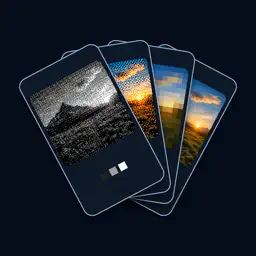
Preview


Description
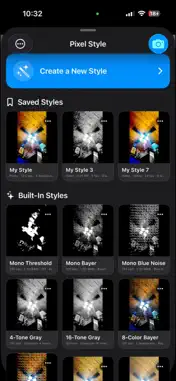
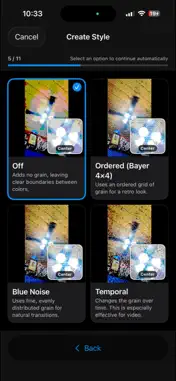
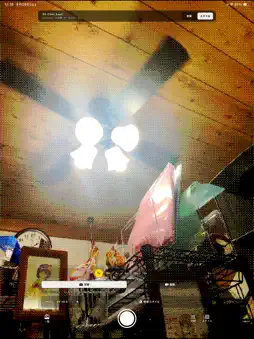
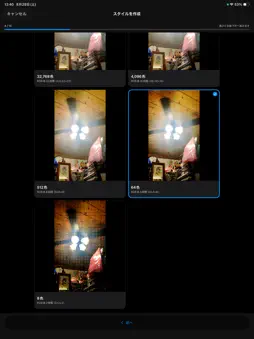
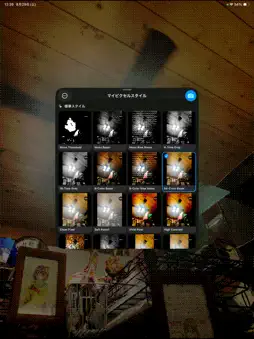
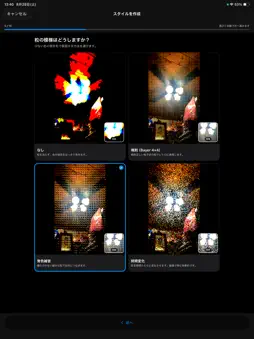
My Pixel Style is a camera for building a repeatable pixel look while comparing every choice against the same live scene. Choose photo or video, resolution, color, grayscale or 1-bit rendering, color depth, dithering, contrast, and white-balance tone one question at a time. Visual choices appear as live thumbnails, and one tap selects an option and advances to the next question. Review the finished live image, name the style, and save it. Saved styles remain available with live thumbnails. Tap one to apply it immediately to photo or video capture. You can edit a saved style, restore a built-in style to its defaults, or hide built-in styles you do not use. For video, every frame is processed at the chosen logical resolution with the selected color depth and dithering, then enlarged by a selectable integer factor with nearest-neighbor sampling before it reaches the encoder. This makes the hard-edged pixel blocks part of the recorded movie instead of relying on the player to enlarge a tiny video, helping the pixel look remain visible in motion. HEVC and H.264 are lossy, so some compression artifacts may still appear. Pixel controls: - Photo resolution from the camera's maximum down to 3.125 kpx - Video resolution from 4K down to 80 × 45 - Color, grayscale, and 1-bit black-and-white rendering - Color detail from standard down to 2 levels per color channel - Bayer, blue-noise, and changing-noise dithering - Pixel-focused video recording that scales each processed frame by an integer factor with nearest-neighbor sampling before encoding - Saturation, contrast, nearest-neighbor output scaling, and compression controls - Video frame rates from 1 to 30 fps, bitrate, codec, and optional audio quality Camera controls: - Automatic exposure, ISO priority, or shutter priority - Exposure compensation on the capture screen - Creative warmer or cooler white-balance tones, plus detailed controls - Device-aware zoom, stabilization, lens correction, HDR, low-light, and texture-processing controls when supported Storage and privacy: - Captures are stored in the app's private on-device library by default - Browse app captures without Photos read access - Add only selected captures to the Photos app when you choose - No account, advertising, analytics, tracking, or upload of captured media On iOS 18 or later, add My Pixel Camera to the Lock Screen, Control Center, or Action button. The locked-camera experience displays only its current capture session. After authentication, completed captures can be transferred safely to the full app. The interface is available in English and Japanese on iPhone and iPad.
Technical Analysis
Package Overview Basic metadata
Bundle ID
jp.abyos.CompactCapture Current Version 1.24
Minimum iOS 17.0
Package Size App Store Size
Package Metadata 0 / 0 version records
Detailed binary, privacy manifest, framework, and Info.plist results have not been indexed for this package yet. The verified App Store and archive metadata above remains available.
Developer Information
Known Version Records
0 version records with stored package metadata
Stored metadata does not guarantee a package is currently available to download.
| Details | Version / IDs | Version date | Action |
|---|