Preview







Description
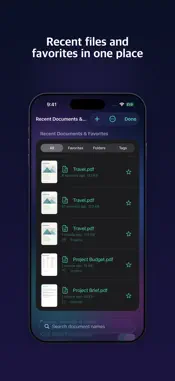
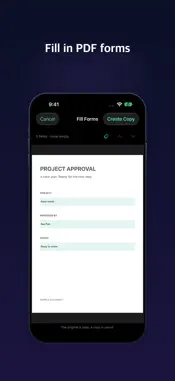
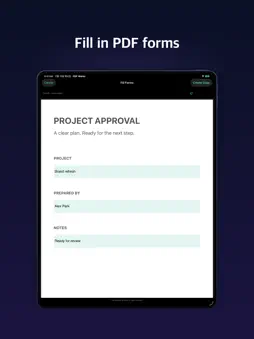
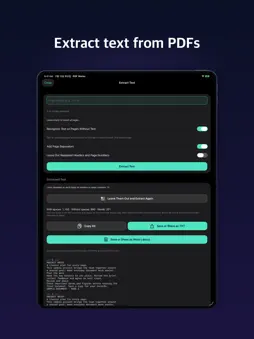
You don't need another app for every PDF job. Scanning, fixing, signing, translating and sending all happen in PDF Works. Documents are processed on your iPhone and iPad, not uploaded to a server. PAPER AND PHOTOS TO PDF Scan a receipt or a contract, or put several photos in one file. The app suggests a file name from the title and date on page one. • Scan filters, OCR for searchable PDFs, photos rotated one by one • TXT, text-focused RTF and images to PDF • Web pages as A4, Letter or one long page, also from Safari • Handwriting with a pen or Apple Pencil PAGES • Merge, reorder, delete, rotate or extract pages, with undo • Insert blank pages or another PDF, crop margins • Split by file size or outline • N-up sheets, booklets, fit to A4 or Letter • Save pages as JPEG or PNG READING Pick up where you left off, leave bookmarks, and let Read Aloud highlight each sentence at your own speed. • Dark background, inverted colors, one page at a time • Translate on your device: TXT, translated PDF, side-by-side or original-layout PDF • Summarize & Ask: Apple Intelligence summarizes, answers cite pages • Tables to Excel (XLSX) or CSV WRITE AND SIGN Sign a contract, fill in a form, add text and highlights. Draw your signature or use a photo. • Forms, signatures and annotations saved editable or fixed • Watermarks, headers, page and document numbers • Your own seal, a signature library, latest signature in one tap BEFORE YOU SEND IT • Both sides of an ID card on one page, with a purpose watermark • Redact sensitive areas, edit or remove document info • Compress by quality or target size, compare two PDFs, extract text and images, edit the outline, print PASSWORDS AND STORAGE • Add or remove a known password, in batches too • Passwords in the Keychain, App Lock • Recent documents and favorites, folders, tags, sorting, drafts to resume edits • Run tools from Shortcuts, Siri and Spotlight • Tool search, customizable tabs, built-in guides Pro One purchase unlocks saving, sharing, printing and the advanced tools. No subscription. Restore Purchases is supported. PLEASE NOTE • Processing is on your device. Web pages connect to their sites, and sharing or cloud saving sends the file to your chosen service. • Translation uses Apple's on-device translation (iOS 18 or later). Language pairs vary by system, and a language model may download first. • A translated PDF with the original layout can look off on complex pages and has no links or form fields. • Summarize & Ask needs iOS 26 or later and a device with Apple Intelligence supported and turned on. AI can be wrong, so check the original. • Table extraction depends on the table and document. Open the saved table and check it. • ID masking covers the back digits of Korean resident registration numbers. Check it and any other sensitive data before saving. • Compression results and target sizes vary by document. Text comparison needs extractable text, so scans may need OCR. • Export Office and HWP/HWPX files to PDF in a compatible app first. • Remove passwords only from documents you may handle and know the password for. Unknown ones aren't recovered. • Recent Documents keeps up to 200 PDFs / 500 MB, then drops the oldest without a favorite, folder, tag or draft. You can turn it off. 27 TOOLS • Create PDF (5): Scan Document, Photos to PDF, Document to PDF, Web Page to PDF, ID Copy • Edit (8): Edit & Merge Pages, Extract & Split Pages, Sign & Annotate, Fill Forms, Watermark/Header/Numbering, N-up & Booklet, Edit Outline, Edit Document Info • Security (2): Passwords, Redact • Extract · Convert (6): Extract Text, Extract Tables, Extract Images, PDF to Images, OCR, Compress • Read (4): Preview & Search, Translate Document, Summarize & Ask, Compare Documents • Export (2): Print, Rename & Save Translate and Summarize & Ask have the requirements above. Support: https://www.supracore.co.kr/support/pdf-works/ Privacy: https://www.supracore.co.kr/support/pdf-works/privacy.html
What's New
Version 1.11.0 2026-11-13
This update is about making reading easier. ■ Light Mode If your device is set to Light Mode, the app looks light too. Nothing changes in Dark Mode. ■ PDFs op...This update is about making reading easier. ■ Light Mode If your device is set to Light Mode, the app looks light too. Nothing changes in Dark Mode. ■ PDFs open right away • A PDF you open in PDF Works from Files or Mail now goes straight to the reader. It used to stop at the "Unlock" screen first. If the PDF needs a password, you'll still be asked for it first. • Tap anywhere on a document in Recent Documents and it opens on the page where you stopped reading. • Tap "Send to PDF Works" in the share sheet, and the next time you open the app, that document is the first thing you see. ■ Reader • Tap the page once and the bars at the top and bottom go away, leaving only the document. Tap again to bring them back. • The tools button at the top right now opens a menu: Handwrite with Pen, Sign & Annotate, Translate, Summarize and more. Pick one and it opens with the document you were reading, so you don't have to go back to the Home tab first. • The share button moved to the bottom bar. ■ Tools tab The tools are split into six groups, and the search field is always visible. On the PDF Tools screen, "Choose PDFs" is at the top. ■ Other changes • The buy button on the Pro screen stays visible at the bottom. After you buy Pro, the save you were about to make goes ahead on its own. • If you try to close a result you haven't saved, the app asks one more time before it closes. • Tidied some wording and button positions, and fixed a few small bugs. Saving, sharing, exporting and advanced tools require Pro. Technical Analysis
Package Overview Basic metadata
Bundle ID
com.luckysaeng.PDF-Unlock Current Version 1.11.0
Minimum iOS 17.0
Package Size App Store Size
Package Metadata 0 / 0 version records
Detailed binary, privacy manifest, framework, and Info.plist results have not been indexed for this package yet. The verified App Store and archive metadata above remains available.
Developer Information
Known Version Records
0 version records with stored package metadata
Stored metadata does not guarantee a package is currently available to download.
| Details | Version / IDs | Version date | Action |
|---|