Preview







Description
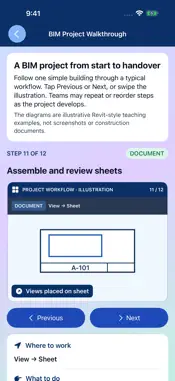
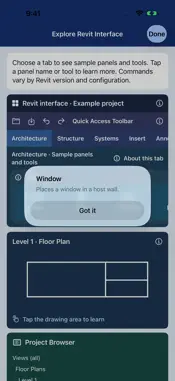
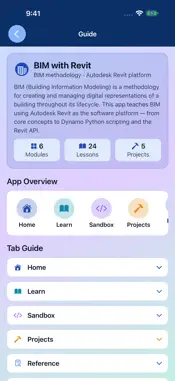
Learn BIM concepts and explore Revit workflows with visual lessons, guided projects, and interactive educational simulations on iPhone and iPad. START WITH BIM Learn what BIM is, where it is used, how teams collaborate, and how different platforms support a project. Follow a visual walkthrough from project setup through documentation and handover. BUILD A BIM HOUSE Follow a beginner-friendly house project step by step. Explore illustrations, see what changes at each stage, answer questions, and open related practice activities. PRACTICE AND EXPLORE Use a simplified Revit-inspired workspace to place and adjust walls, doors, windows, pipes, equipment, and other sample elements. Explore hosted openings, room boundaries, and illustrative connections. Guided labs introduce views, schedules, families, coordination, worksharing, and Dynamo concepts. LESSONS AND VISUAL REFERENCES Study 24 lessons across six modules covering BIM fundamentals, the Revit interface, architecture, structural and MEP systems, and advanced workflows. Explore a tappable interface diagram, illustrations, quizzes, projects, references, and a coordination checklist. CODE SANDBOX Read, edit, and copy Dynamo Python, Revit API, and IFC examples and view illustrative output. The sandbox does not execute code or connect to a Revit model. This independent educational app is not affiliated with or endorsed by Autodesk. Practice activities are simplified simulations; they do not create, open, or edit Revit files. Revit and other Autodesk product names are trademarks of Autodesk, Inc.
What's New
Version 4.0 2026-11-13
New in version 4.0: • Start with an introduction to BIM and follow a visual project walkthrough. • Build a BIM house through guided steps, illustrations, questi...New in version 4.0: • Start with an introduction to BIM and follow a visual project walkthrough. • Build a BIM house through guided steps, illustrations, questions, and practice links. • Explore a tappable Revit-inspired interface and expanded practice activities for walls, openings, pipes, equipment, and rooms. • Learn through additional scenarios, comparisons, and feedback. • Enjoy improved readability and updated layouts across the app. Practice activities are educational simulations and do not edit Revit files. Technical Analysis
Package Overview Basic metadata
Bundle ID
com.practicingengineer.BIMRevit Current Version 4.0
Minimum iOS 17.0
Package Size App Store Size
Package Metadata 1 / 2 version records
Detailed binary, privacy manifest, framework, and Info.plist results have not been indexed for this package yet. The verified App Store and archive metadata above remains available.
Developer Information
Known Version Records
1 version record with stored package metadata • 2 known version records
Stored metadata does not guarantee a package is currently available to download.
| Details | Version / IDs | Version date | Action |
|---|---|---|---|
| 49.57 MB | v2.0 App Store ID: 885650732Build: 2.0 | 2026-05-14 09:26:08 | Paid / Arcade |
| Not archived | App Store ID: 885147178 | Unknown | Paid / Arcade |