Preview






Description
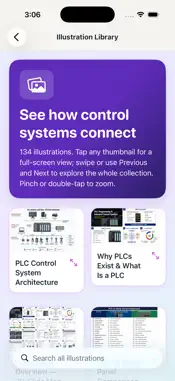
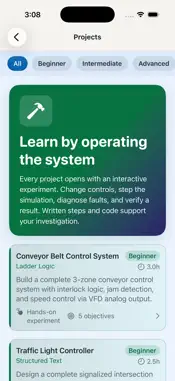
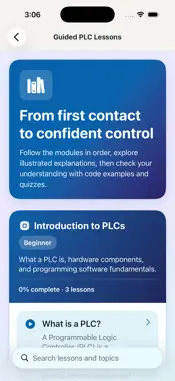
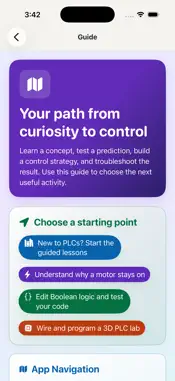
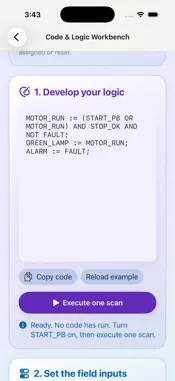
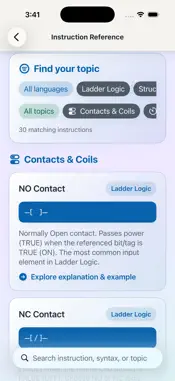
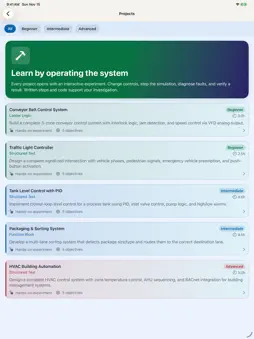
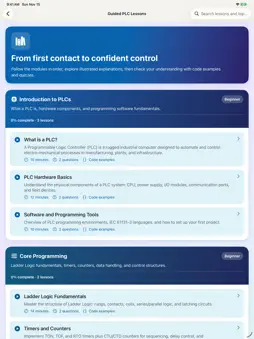
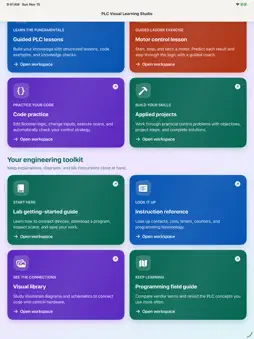
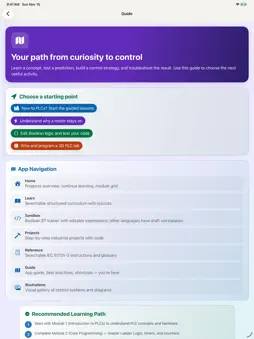
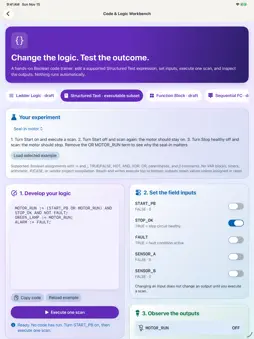
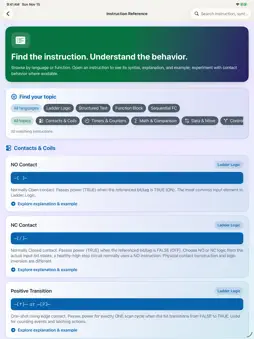
PLC Visual Learning Studio helps engineers, technicians, and students learn industrial controls by doing: connect devices, develop logic, operate equipment, and investigate the result. FREE HOMEPAGE PREVIEW Explore the homepage free. All labs, lessons, projects, illustrations, and reference tools require the one-time Full Studio Access purchase. No subscription, no ads, and no separate app account. Eligible customers who previously purchased the paid app retain full access. VIRTUAL PLC LAB Build a simulated controls bench with a PLC rack, digital and analog I/O, sensors, motors, pumps, valves, a conveyor, and a tank. Edit vendor-neutral ladder logic, validate and download it, run or inspect scans, monitor I/O, inject faults, and save or share workspaces. Ten guided starting projects support hands-on practice. 3D SCADA EXPLORER Explore a 3D facility, operate its coordinated HMI, inspect alarms and trends, follow connections, and investigate process or communication faults. GUIDED MOTOR CONTROL Predict whether a motor will run, queue field actions, and inspect the input, logic, and output phases. Six experiments explain seal-in behavior, Stop priority, feedback supervision, reset, and deliberate restart. CODE & LOGIC WORKBENCH Edit and execute a defined Boolean Structured Text subset. Change inputs, run a scan, inspect outputs, and automatically check your control strategy. Ladder, Function Block, and Sequential Function Chart workspaces support drafting and reference; they are not full vendor compilers. The Virtual PLC Lab executes its documented ladder instruction set. INTERACTIVE PROJECTS Operate focused concept models for conveyor batching, traffic-signal sequencing, tank control, package sorting, and HVAC response. Live equipment and connected controls share one workspace. Start, stop, vary settings, introduce faults, or step simulated time. Written steps, diagrams, and code examples support the experiments. 134 FULL-SCREEN ILLUSTRATIONS Browse one searchable thumbnail grid, then zoom and navigate between equipment illustrations, PLC architectures, wiring, ladder examples, instrumentation, networking, HMI, and engineering drawings. LESSONS & REFERENCE Follow six curriculum modules with illustrated lessons, quizzes, bookmarks, and progress tracking. Search instruction syntax, worked examples, and programming terminology. Designed for iPhone and iPad with readable text, clear contrast, rich colors, and layouts that adapt to the screen. Learning content and lab resources are bundled for offline use; App Store purchases, restoration, and external links may require internet. Educational simulations only. The app does not connect to or control physical machinery and is not a safety-rated or commissioning system. Company names, brand names, product names, trademarks, logos, and other third-party references are used solely for educational and identification purposes. This app is independently developed and is not affiliated with, endorsed by, sponsored by, or authorized by any referenced company or brand. All trademarks, copyrights, and other intellectual property belong to their respective owners. References do not imply ownership of third-party intellectual property or compatibility, certification, or approval by a manufacturer. Educational examples are not substitutes for official manufacturer documentation or professional engineering judgment.
What's New
Version 3.0 2026-11-17
A major hands-on learning update: • Redesigned homepage and learning screens with rich colors, clearer text, and layouts adapted to iPhone and iPad. • Virtual P...A major hands-on learning update: • Redesigned homepage and learning screens with rich colors, clearer text, and layouts adapted to iPhone and iPad. • Virtual PLC Lab: connect devices, edit ladder logic, inspect scans, and troubleshoot a 3D controls bench. • 3D SCADA Explorer with coordinated HMI, alarms, trends, and fault investigation. • Six guided motor-control experiments with predictions and step-by-step explanations. • Executable Boolean ST trainer with automatic behavior checks. • Connected live equipment and controls for all five project experiments, plus manual stepping. • Expanded illustration library: 134 thumbnails with full-screen zoom and Previous/Next navigation. • Free homepage preview with a one-time Full Studio Access unlock. Eligible previous paid-app customers retain access; Restore Purchases is available. Technical Analysis
Package Overview Basic metadata
Bundle ID
com.practicingengineer.PLCIllustrated Current Version 3.0
Minimum iOS 17.0
Package Size App Store Size
Package Metadata 1 / 2 version records
Detailed binary, privacy manifest, framework, and Info.plist results have not been indexed for this package yet. The verified App Store and archive metadata above remains available.
Developer Information
Known Version Records
1 version record with stored package metadata • 2 known version records
Stored metadata does not guarantee a package is currently available to download.
| Details | Version / IDs | Version date | Action |
|---|---|---|---|
| 23.49 MB | v2.0 App Store ID: 885648025Build: 2.0 | 2026-05-14 09:23:51 | Get Version |
| Not archived | v1.0 App Store ID: 885166391Build: 1.0 | 2026-05-02 02:15:38 | Request Version |