
Preview






Description
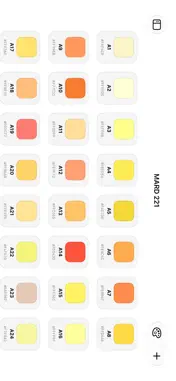
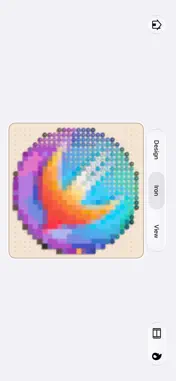
Design your own bead patterns. Follow them as you make. Pixel Beader is a bead pattern design and editing tool. Start with a blank pegboard or convert a favorite photo, then refine the shapes and colors to create something of your own. DESIGN AND EDIT Draw bead by bead, replace colors, pick colors, and erase. Use rectangular selection, lasso, and undo to refine your pattern. Layers, underlays, and floating reference windows help you work with reference images. Draw with Apple Pencil on a compatible iPad. TURN PHOTOS INTO PATTERNS Import a photo and adjust the grid size, sampling method, and color count. Check color codes and bead quantities, then continue editing your pattern. FOLLOW WHILE YOU MAKE Use interactive patterns to check color codes and highlighted rows and columns while placing physical beads. Interactive patterns require membership. PREVIEW IN 3D AND AR Simulate the fused finish and explore your creation from different angles in 3D. On supported devices, use AR to preview it in your surroundings. ORGANIZE AND SHARE Organize patterns in folders, save favorites, and recover deleted work from Recently Deleted. Export pattern images and 3D snapshots, or share project files that can be imported and edited again. FREE AND MEMBERSHIP The free version supports boards and patterns up to 104×104. Optional monthly or lifetime membership unlocks projects up to 208×208 and interactive pattern previews. PRIVACY AND DEVICE SUPPORT Photo processing and project data stay on your device and are not uploaded to a server. Apple Pencil features require a compatible iPad and Apple Pencil. AR requires an ARKit-compatible device. Support: [email protected] Terms of Use: https://www.apple.com/legal/internet-services/itunes/dev/stdeula/ © 2026 Yu Yan
What's New
Version 1.5 2026-10-12
• Added support for iOS 27 • Added rectangular selection for easier pattern editing • Added layers with underlays and floating reference windows • Improved colo... Technical Analysis
Package Overview Basic metadata
Bundle ID
com.yanyu.pixelbeader Current Version 1.5
Minimum iOS 26.0
Package Size App Store Size
Package Metadata 0 / 0 version records
Detailed binary, privacy manifest, framework, and Info.plist results have not been indexed for this package yet. The verified App Store and archive metadata above remains available.
Developer Information
Known Version Records
0 version records with stored package metadata
Stored metadata does not guarantee a package is currently available to download.
| Details | Version / IDs | Version date | Action |
|---|