
Preview



Description
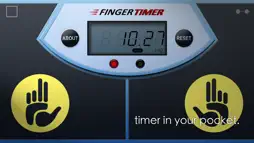
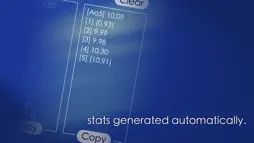
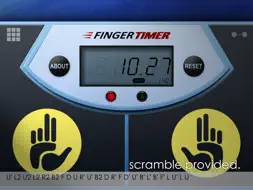
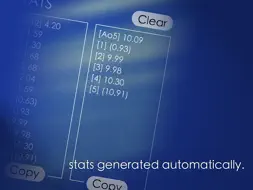
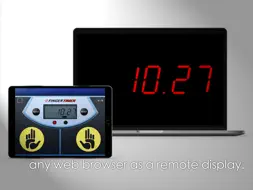
Finger Timer is a speedcubing/speedstacking timer in your pocket! It's a simple and elegant timer app that you must have! [HOW TO USE] 1. Put your fingers on the left and right pads, and hold. 2. When the red and green lights are both on, the timer is ready, and then you can release your fingers to start the timer. 3. When you want to stop the timer, put your fingers back on the left and right pads. 4. If you want to restart the timer, press "RESET" and do the steps 1 to 3. [DISPLAY CONNECTION] 1. Connect your Timer device (with this app) and Display device (any computer or mobile device with a web browser) to the same Wi-Fi network. (Sometimes Internet also works.) 2. In Timer device, tap the top-right icon, and check "Allow display connection" checkbox. 3. In Display device, enter the Timer address into the address bar of your browser, and then press "START". 4. Enjoy it! [Stats] When you using the timer, stats are generated automatically. The average time, Ao5 and Ao12 (full version only), are displaying the summary in the LED panel, and you can also get the details in About page. In About page, you can clear the stats or copy them to show off! Free version: > The maximum time is 10 minutes. > Display connection. (max 10 mins) > Scramble for only cube 2x2x2 and 3x3x3. > Showing Ao5 (average of 5) only. > With ads Full version: > The maximum time is 60 minutes. > Display connection. (max 60 mins) > Scramble for cube 2x2x2, 3x3x3, 4x4x4, and 5x5x5. > Showing both Ao5 (average of 5) and Ao12 (average of 12). > No ads, no distractions! Subscribe our YouTube channel to watch the latest cubing videos: https://youtube.com/omgcrafts Like us on Facebook for the latest news: https://facebook.com/omegastudiopage
What's New
Version 1.0.7 2026-05-15
Improved timer precision with an extra decimal place Updated to high-resolution graphics Fixed Display Connection reconnection issue Minor bug fixes Technical Analysis
Package Overview Basic metadata
Bundle ID
tw.url.omega.FingerTimer Current Version 1.0.7
Minimum iOS 13.0
Package Size App Store Size
Package Metadata 2 / 7 version records
Detailed binary, privacy manifest, framework, and Info.plist results have not been indexed for this package yet. The verified App Store and archive metadata above remains available.
Known Version Records
2 version records with stored package metadata • 7 known version records
Stored metadata does not guarantee a package is currently available to download.
| Details | Version / IDs | Version date | Action |
|---|---|---|---|
 19.73 MB | v1.0.7 App Store ID: 885690604Build: 1 | 2026-05-14 15:33:14 | Get Version |
 34.1 MB | v1.0.6 App Store ID: 829589162Build: 1.0.6 | 2018-12-10 08:54:44 | Get Version |
| Not archived | App Store ID: 819698209 | Unknown | Request Version |
| Not archived | App Store ID: 105572652 | Unknown | Request Version |
| Not archived | App Store ID: 14953720 | Unknown | Request Version |
| Not archived | App Store ID: 13040450 | Unknown | Request Version |
| Not archived | App Store ID: 12928637 | Unknown | Request Version |