
Preview







Description
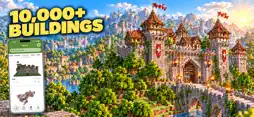
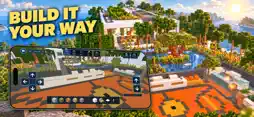
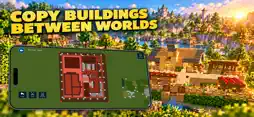
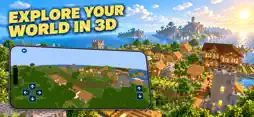
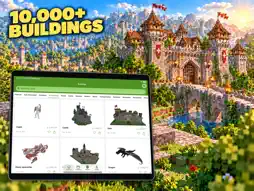
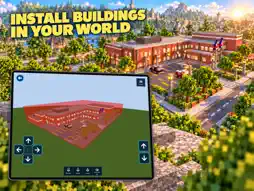
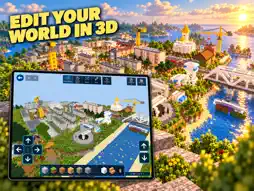
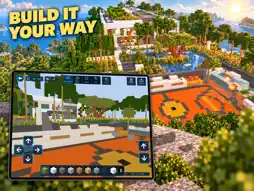
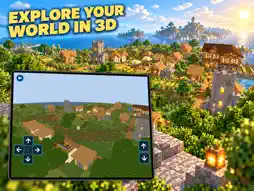
BlockMaker 3D brings building search, 3D previews and placement, draft creation and world editing together. You can: You can also turn photos into pixel buildings and generate houses automatically. • Inspect buildings and worlds in 3D, then adjust position, rotation and height before installation. • Create an empty draft or copy an existing building into a draft and keep editing. • Edit Minecraft worlds directly: place or remove blocks, move, copy and paste selections, and add buildings. • Export buildings from a world, save them as drafts or local creations and reuse them across worlds. Find houses and building ideas Search the online library for Minecraft houses, villas, mansions, cottages, treehouses, castles, towers, temples, villages, farms and survival bases. Explore ideas for pixel art, statues and redstone-themed builds too. Available creations depend on the current library: search for a design, check its details and download one you want to use or adapt. Save favorites and revisit downloaded buildings. Preview in 3D before you install Look around roofs, entrances, materials and overall size instead of choosing from a cover image alone. Open a world preview to see the terrain and nearby structures. Move and rotate your building, adjust its height and confirm its position before installing it in a Minecraft world. Create a draft or copy a building to edit Copy an existing building into a draft and use the 3D editor to place or erase blocks, replace materials and reshape roofs and walls. Or start an empty draft to design a modern house, mountain cabin, medieval fortress or survival base. Save drafts to continue editing later; finished creations can be previewed and installed in Minecraft worlds. Edit Minecraft worlds directly Open a world and explore and edit it in 3D. Place or remove blocks, select areas for bulk edits, move, copy and paste existing content, or choose a building to place in the world. Rotate, mirror and adjust its position to fit the terrain, roads and surrounding buildings. Export a build from your world Keep a house or base you already made. Select its area on the map, adjust the height range and review the result in 3D. Save it as an editable draft or a local building; you can also choose to publish your creation. Reuse a building across worlds without rebuilding it from the beginning. Turn a photo into pixel art. Take a picture or choose one from your library. Set the block count along its longest edge, then preview the result before you install it, save it as a draft or publish it. Generate a house. Choose from a range of house styles and adjust the generation options. Preview the result, install it, keep working on it in a draft or share it. Manage worlds and share creations Create or import worlds, browse maps and organize drafts, local creations, favorites and downloads. Capture a cover for your own building. Once published, share a link to your creation. Requires Minecraft. Intended for supported Minecraft Bedrock / PE / MCPE worlds. Back up important worlds before changing them. This is an unofficial app and is not affiliated with Mojang or Microsoft. Minecraft names, brands and assets belong to their respective owners.
What's New
Version 4.1.1 2026-11-11
1. New Daily Picks to discover more buildings. 2. Fixed preview, installation and export for some worlds. 3. Faster large-building previews and exports. 4. Fixe...1. New Daily Picks to discover more buildings. 2. Fixed preview, installation and export for some worlds. 3. Faster large-building previews and exports. 4. Fixed editing, undo and leftover model issues. 5. Improved block appearance and connections. 6. Improved world import, folder access and backup restore. 7. Improved stability. Technical Analysis
Package Overview Basic metadata
Bundle ID
com.amy.buildingsforminecraftpe Current Version 4.1.1
Minimum iOS 15.0
Package Size App Store Size
Package Metadata 1 / 16 version records
Detailed binary, privacy manifest, framework, and Info.plist results have not been indexed for this package yet. The verified App Store and archive metadata above remains available.
Developer Information
Known Version Records
1 version record with stored package metadata • 16 known version records
Stored metadata does not guarantee a package is currently available to download.
| Details | Version / IDs | Version date | Action |
|---|---|---|---|
| 117.93 MB | v3.1.1 App Store ID: 886964933Build: 3.1.1 | 2026-06-15 19:23:38 | Get Version |
| Not archived | v3.1.0 App Store ID: 886924153Build: 3.1.0 | 2026-06-14 06:12:14 | Request Version |
| Not archived | v3.0.0 App Store ID: 886626911Build: 3.0.0 | 2026-06-12 03:21:06 | Request Version |
| Not archived | v2.2.2 App Store ID: 886482120Build: 2.2.2 | 2026-06-03 20:58:38 | Request Version |
| Not archived | v2.2.1 App Store ID: 886337835Build: 2.2.1 | 2026-05-31 20:16:10 | Request Version |
| Not archived | v2.1.0 App Store ID: 886194544Build: 2.1.0 | 2026-05-27 22:35:20 | Request Version |
| Not archived | v2.0.3 App Store ID: 885654674Build: 2.0.3 | 2026-05-14 19:10:30 | Request Version |
| Not archived | v2.0.2 App Store ID: 885383139Build: 2.0.2 | 2026-05-07 21:04:14 | Request Version |
| Not archived | v2.0.1 App Store ID: 885330995Build: 2.0.1 | 2026-05-06 22:57:20 | Request Version |
| Not archived | v2.0.0 App Store ID: 871413452Build: 2.0.0 | 2026-04-29 17:56:42 | Request Version |
| Not archived | v1.6 App Store ID: 854208159Build: 1.6 | 2024-02-19 00:51:52 | Request Version |
| Not archived | v1.5 App Store ID: 852299899Build: 1.5 | 2022-09-27 13:17:35 | Request Version |
| Not archived | v1.4 App Store ID: 851944754Build: 1.4 | 2022-09-01 13:50:00 | Request Version |
| Not archived | vv1.3 App Store ID: 851096507Build: v1.3 | 2022-07-27 01:40:36 | Request Version |
| Not archived | vv1.1 App Store ID: 850969805Build: v1.1 | 2022-07-21 15:18:10 | Request Version |
| Not archived | v1.0 App Store ID: 850887458Build: 1.0 | 2022-07-17 17:20:07 | Request Version |