Preview




Description
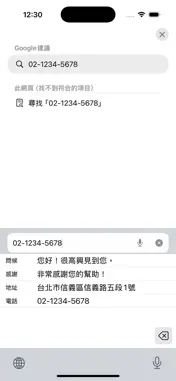
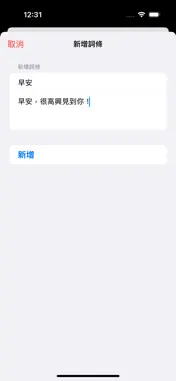
TapGo is an iOS keyboard app designed to boost your typing efficiency. Quickly input frequently used phrases, addresses, contact information, and more—no more repetitive typing. 【Key Features】 • Personal Phrase Library: Easily add, edit, and delete your favorite phrases • Quick Input: One tap to input, no need to retype • Custom Prompts: Set short labels (max 5 characters) for each phrase • Multi-line Support: Store complete addresses, greetings, and long texts • Smart Sorting: Reorder phrases freely, keep frequently used items on top • Confirmation Option: Choose whether to show confirmation before sending 【Use Cases】 • Quickly input addresses, phone numbers, and emails • One-tap greetings, thank-you messages, and farewells • Store common replies to boost communication efficiency • Perfect for chats, emails, form filling, and more 【Highlights】 • Clean and intuitive interface, easy to use • Dark mode support, automatically adapts to system settings • Secure data storage, saved only on your device • Works offline, no internet connection required 【How to Use】 1. After installation, go to Settings > General > Keyboard > Keyboards 2. Add "TapGo" keyboard and enable "Full Access" 3. Add your frequently used phrases in the TapGo app 4. Use TapGo in any app that supports third-party keyboards Let TapGo be your typing assistant and significantly improve your daily input efficiency!
What's New
Version 1.1 2025-11-21
- 調整細部資料 Technical Analysis
Package Overview Basic metadata
Bundle ID
tw.com.dev.eason.tapgo Current Version 1.1
Minimum iOS 16.1
Package Size App Store Size
Package Metadata 0 / 2 version records
Detailed binary, privacy manifest, framework, and Info.plist results have not been indexed for this package yet. The verified App Store and archive metadata above remains available.
Developer Information
Known Version Records
0 version records with stored package metadata • 2 known version records
Stored metadata does not guarantee a package is currently available to download.
| Details | Version / IDs | Version date | Action |
|---|---|---|---|
| Not archived | App Store ID: 879972391 | Unknown | Paid / Arcade |
| Not archived | App Store ID: 877111956 | Unknown | Paid / Arcade |