Preview




Description
Turn your iPhone or iPad into a private document scanner for receipts, contracts, invoices, forms, and notes. DocScanner creates searchable PDF files with offline OCR, keeps your library on your device, and makes scans easy to organize, preview, and share. SCAN DOCUMENTS TO PDF • Capture single-page and multi-page documents with the camera scanner • Create PDF files automatically • Add selectable and searchable text with on-device OCR • Choose preferred OCR languages in Settings ORGANIZE YOUR LIBRARY • Create and rename folders for work, school, receipts, or personal records • Scan directly into a folder or move existing documents into one • Search document titles and folder names • Rename, sort, select, move, and delete documents PREVIEW AND SHARE • Review every page in the built-in PDF viewer • Choose Low, Medium, High, or Very High export quality • Check the exported file size before sharing • Send PDF copies through the iOS share sheet PRIVATE BY DESIGN Your documents, previews, folders, and OCR processing stay on your device. DocScanner does not require an account or cloud setup and has no ads or third-party analytics. DOCSCANNER PRO A one-time in-app purchase unlocks: • Secure folders that encrypt folder names, PDFs, and previews on your device • Face ID, Touch ID, or device passcode access to secure folders • Password-protected PDF copies for sharing DocScanner Pro is a one-time purchase with no subscription. Previous purchases can be restored. Use DocScanner to digitize receipts, invoices, contracts, signed forms, school notes, home records, and other paperwork on iPhone or iPad.
What's New
Version 2.0.3 2026-09-17
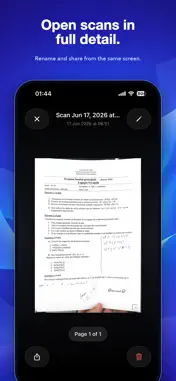
• A refreshed document preview with matching native controls, a clear page counter, and easy access to Share PDF. • Smoother transitions when opening and closin...• A refreshed document preview with matching native controls, a clear page counter, and easy access to Share PDF. • Smoother transitions when opening and closing documents from your library and folders. • Improved handling of large, multi-page PDFs, with pages loaded as needed. • Better support for larger text sizes in the document preview. • Reliability improvements for document storage and PDF export. Technical Analysis
Package Overview Basic metadata
Bundle ID
tn.document-scaner.app Current Version 2.0.3
Minimum iOS 16.0
Package Size App Store Size
Package Metadata 0 / 7 version records
Detailed binary, privacy manifest, framework, and Info.plist results have not been indexed for this package yet. The verified App Store and archive metadata above remains available.
Developer Information
Known Version Records
0 version records with stored package metadata • 7 known version records
Stored metadata does not guarantee a package is currently available to download.
| Details | Version / IDs | Version date | Action |
|---|---|---|---|
| Not archived | App Store ID: 887139553 | Unknown | Request Version |
| Not archived | App Store ID: 886096688 | Unknown | Request Version |
| Not archived | App Store ID: 883989766 | Unknown | Request Version |
| Not archived | App Store ID: 883809137 | Unknown | Request Version |
| Not archived | App Store ID: 883373641 | Unknown | Request Version |
| Not archived | App Store ID: 883353951 | Unknown | Request Version |
| Not archived | App Store ID: 883135619 | Unknown | Request Version |