
Preview





Description
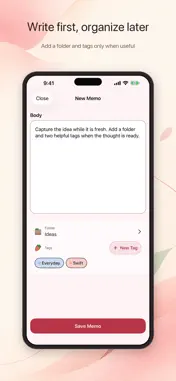
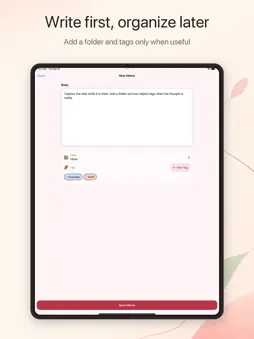
Write down a thought and find it when you need it. DahongMemo keeps notes simple, with folders, tags, and search across your memo text, folders, and tags. No separate account, ads, or third-party tracking. Your memos stay on your device by default. WRITE WITHOUT THE SETUP • Start with one flexible memo body—no title required • Keep a draft safe while you choose a folder and multiple tags • Read, edit, favorite, and move memos; undo accidental deletions FIND WHAT YOU SAVED • Search memo text, folders, and tags together • Narrow results with folder and tag filters • Return to your search context after opening a result • Revisit favorites and recent memos from Home MAKE THE SPACE YOURS • Organize with the default folder and your own folders • Lock folders with device authentication • Create and manage colored tags • Choose Dahong, Peach, Sky, or Lavender in Light, Dark, or System appearance • Cycle through favorite memos in Medium and Large Home Screen widgets ON YOUR DEVICE, WITH OPTIONAL iCloud SYNC Your memos are stored on your device by default. If you choose to enable iCloud, your memos, folders, tags, and favorites can sync through your private iCloud account. The developer does not operate a memo server. Keep up to 50 memos for free. An optional one-time purchase removes this limit. Existing memos, editing, search, folders, tags, themes, widgets, and iCloud remain available without purchase.
What's New
Version 1.3 2026-10-26
- Returning to the app now preserves your cursor position and text selection, keeping the cursor visible in long memos. - Memos in locked folders no longer appe... Technical Analysis
Package Overview Basic metadata
Bundle ID
com.youngwonstudio.DahongMemo Current Version 1.3
Minimum iOS 18.6
Package Size App Store Size
Package Metadata 0 / 0 version records
Detailed binary, privacy manifest, framework, and Info.plist results have not been indexed for this package yet. The verified App Store and archive metadata above remains available.
Developer Information
Known Version Records
0 version records with stored package metadata
Stored metadata does not guarantee a package is currently available to download.
| Details | Version / IDs | Version date | Action |
|---|