Preview




Description
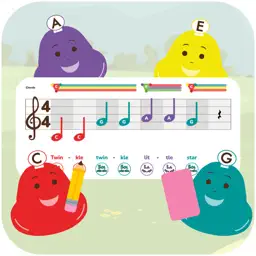
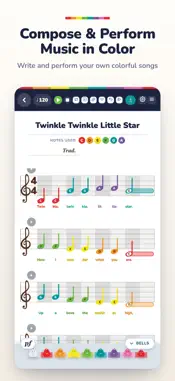
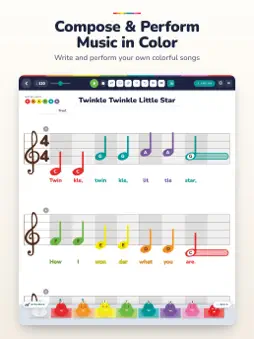
Prodigies Compose is a music notebook for families and the music teachers who make songs with them. Tap a note onto the staff and hear it ring on a real bell. Every note wears its color (red is C, orange is D, yellow is E), the same colors kiddos already know from Prodigies deskbells, Boomwhackers, ChromaNotes instruments and Prodigies Music lessons. So a song you write here is a song you can pick up and PLAY right away. WRITE IT - Melodies on the treble staff, or treble and bass together on the grand staff - Whole notes down to sixteenths, rests, dotted rhythms, ties and swing - Dynamics and crescendos, chords above the staff, lyrics and note names below it - Chord sheets: lyrics with color chord symbols, ukulele and guitar chord diagrams, and one-tap transpose HEAR IT - Playback with real bell samples, so what you hear is what you will play - The music scrolls along with the sound, so little eyes can follow - Perform mode with a metronome and repeat, for practice time or the whole class SHARE IT - A library of songs written by music teachers. Search by title, composer or lyrics, and favorite the ones you love. - Publish your own songs to the library. Every song passes a language filter and every song page has a Report button, so the library stays family-friendly. - Share a link, print it, or export it Everything works offline. Your songs save on your device. FREE TO START Write in 4/4 with chords, lyrics and note names, play it back on real bells, share a link, and play the whole library, all free. A Prodigies Compose subscription adds saving, printing and exporting, 3/4 and 6/8 time, Perform mode and publishing, monthly or yearly. The yearly plan starts with a free 7-day trial for new subscribers. Cancel any time in your Apple ID settings. Already a Prodigies member? Sign in instead and it is all unlocked, no second payment. Terms of Use: https://www.apple.com/legal/internet-services/itunes/dev/stdeula/ Privacy Policy: https://prodigies.com/policies/privacy-policy Made by Mr. Rob and the Prodigies team, the folks behind Prodigies Music and Prodigies PK-5. Happy composing!
What's New
Version 1.1.1 2026-11-19
- Perform has a band: drums, bass and keys play along with your song - Loop plays your song again and again, straight back in on the beat - Perform's speed choi...- Perform has a band: drums, bass and keys play along with your song - Loop plays your song again and again, straight back in on the beat - Perform's speed choices show the real tempo, like "90 BPM" - The tempo sits in the toolbar now, so you always see how fast your song plays. In 6/8 it counts dotted quarter notes - My compositions is a shelf of your saved songs: tap one to open it, and Save updates that song - A new two-row toolbar with Redo, Count-in, Dot and Triplet - The bells sit in a tray: slide between 8 bells and 25 bells, and the bells you use glow in their color - Ties across the barline, notes that start off the beat, and triplets with rests - Zoom, and Letter page views that look like the printed page - Songs can run to 64 measures, with a second verse of lyrics - Cleaner music: beamed triplets, proper flags and dotted quarters in 6/8, rests that join up, lone sixteenth notes and sixteenth rests - Changing the time signature keeps every note the same length, and measures add or go one at a time - MusicXML files in 6/8 open at the right speed - Bell Ears listens for every bell a song uses and hears the very first note - The opening bells ring C to High C as they turn into notes Technical Analysis
Package Overview Basic metadata
Bundle ID
com.prodigies.compose Current Version 1.1.1
Minimum iOS 15.0
Package Size App Store Size
Package Metadata 0 / 0 version records
Detailed binary, privacy manifest, framework, and Info.plist results have not been indexed for this package yet. The verified App Store and archive metadata above remains available.
Developer Information
Known Version Records
0 version records with stored package metadata
Stored metadata does not guarantee a package is currently available to download.
| Details | Version / IDs | Version date | Action |
|---|