Preview



Description
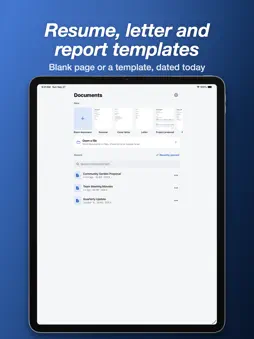
Open, read and edit DOCX documents on your phone. Pages are laid out like on a computer, and your changes are saved back in the same DOCX format. No account, no sign-in. OPEN FILES YOU RECEIVE • Open DOCX files (also DOCM and DOTX) from Files, iCloud Drive or Google Drive, or share them from Mail or a chat app. • Print Layout shows the pages as they will print: tables with merged and shaded cells, pictures, headers, footers and page numbers. • Mobile View fits the text to your screen for easy reading. • Find and replace, with match case and whole words. Jump between headings. • Password-protected documents open when you enter the password, and stay protected when you save. EDIT ON YOUR PHONE • Font, size, bold, italic, underline, strikethrough, font color and highlight • Alignment, line spacing, indent, bullets and numbering • Insert tables, pictures from your photo library or camera, and page breaks • Tables: insert rows and columns, delete, merge and split cells, cell shading • Undo and redo. Changes are saved as you work. • Documents opened with Open a file are saved back to the original file. REVIEW • Read comments, add your own, reply, resolve and delete. • See tracked changes and accept or reject them one by one or all at once. START NEW • Blank document, resume, cover letter, letter, project proposal, report, meeting minutes and invoice. Paper size, dates and currency follow your device settings. PDF • Save or share a document as PDF, or print it. • PDF to DOCX: turn a PDF into an editable DOCX document on your device. Scanned pages are converted with on-device text recognition. MORE • Word count, page setup (paper size, orientation and margins) and page color. • Search documents by name and text, favorites, sort, rename and save a copy. • Full screen reading and dark mode. YOUR DOCUMENTS STAY ON YOUR DEVICE • Documents are opened, converted and saved on this device and never uploaded. FREE WITH ADS, OR PREMIUM Every feature is free. There are no ads while you read or edit a document. Premium (monthly subscription or a one-time lifetime purchase) removes all ads. Privacy Policy: https://dsm0829.github.io/docx-privacy/ Terms of Use: https://www.apple.com/legal/internet-services/itunes/dev/stdeula/
What's New
Version 1.0.5 2026-11-14
Bug fixes. Technical Analysis
Package Overview Basic metadata
Bundle ID
com.vismstudio.docx Current Version 1.0.5
Minimum iOS 16.4
Package Size App Store Size
Package Metadata 0 / 0 version records
Detailed binary, privacy manifest, framework, and Info.plist results have not been indexed for this package yet. The verified App Store and archive metadata above remains available.
Developer Information
Known Version Records
0 version records with stored package metadata
Stored metadata does not guarantee a package is currently available to download.
| Details | Version / IDs | Version date | Action |
|---|