Preview




Description
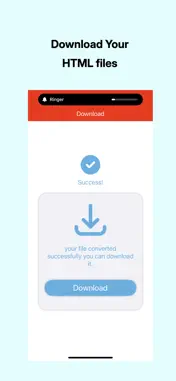
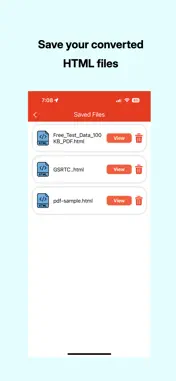
PDF to HTML App is an easy-to-use tool that effortlessly converts PDF files into clean, high-quality HTML pages. With the PDF to HTML App, you can transform your PDFs into web-ready HTML documents in just a few taps—perfect for website publishing, content editing, or extracting information. Easily convert PDF content into the widely compatible HTML format—ideal for web developers, content creators, and anyone who needs to reuse PDF content online. Convert your PDF to HTML while retaining original formatting, layout, and styling. No registration, login, or personal information required. How to Use PDF to HTML Converter: 1) Tap "Upload File" and select your PDF document. 2) Tap "Convert" and wait a few moments for your HTML file to be generated. 3) Tap "Download" to save the HTML version to your device. All HTML files are saved in the app's download directory. App Features: 1) PDF to HTML Conversion. 2) View Converted HTML File. 3) Easily Share the Converted HTML.
What's New
Version 1.1 2026-06-04
• Improved layout and visual enhancements for a smoother experience • Minor bug fixes and performance improvements Technical Analysis
Package Overview Basic metadata
Bundle ID
com.apptechweb.pdftohtml Current Version 1.1
Minimum iOS 18.0
Package Size App Store Size
Package Metadata 1 / 2 version records
Detailed binary, privacy manifest, framework, and Info.plist results have not been indexed for this package yet. The verified App Store and archive metadata above remains available.
Developer Information
Known Version Records
1 version record with stored package metadata • 2 known version records
Stored metadata does not guarantee a package is currently available to download.
| Details | Version / IDs | Version date | Action |
|---|---|---|---|
| 6.92 MB | v1.1 App Store ID: 886343271Build: 1.1 | 2026-06-04 16:19:26 | Get Version |
| Not archived | App Store ID: 876734917 | Unknown | Request Version |