Preview




Description
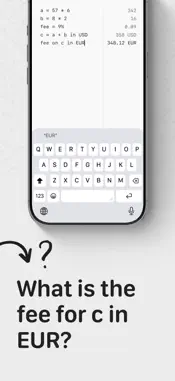
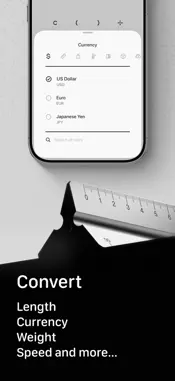
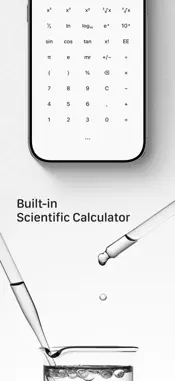
How many steps does it take to work out a bill? Open the calculator, get a number, write it down somewhere, come back, forget where you were. The notepad lets you write the whole thing as text — every line worked out as you type it: rent = 1200 utilities = 85 rent + utilities 1285 Name your values and reuse them. It reads plain English too: 20 ml in tsp 100 USD in EUR 20% off 80 Also good for - Travelling — convert as you go, the whole day's spending on one page - Cooking — cups, ounces, Fahrenheit, all converted in one place - Estimating materials — add up three walls, divide by coverage per tin - Quoting work — change one number, everything recalculates Three more calculators - Basic — large type, generous spacing, your working shown as you build it - Scientific — trigonometry, logarithms, powers and roots, 2nd key cycles four layers - Convert — 123 units across 15 categories, currency rates update automatically Things you can adjust - Number format — comma, period, space, apostrophe, or none - Decimal places — full precision, or fixed to a number you choose - Appearance — light, dark, true black, or follow the system - Startup page — pick which one opens when you launch the app - Haptics — tune the strength or switch it off Also inside - History, with notes you can attach - Control Centre button for one-tap access - Available in many languages, with unit names and keywords in each Built on minimalist principles Clean design, smooth interaction, no noise — only what actually matters. The Calculator is free to use. Convert and Notepad are Premium features. Terms of Use: https://www.minlsm.com/terms Privacy Policy: https://www.minlsm.com/privacy
What's New
Version 1.2.5 2026-10-14
- Fixed long calculations sometimes being cut off on the right while typing. - Drag the cursor to the edge of the screen to scroll through a long calculation. Technical Analysis
Package Overview Basic metadata
Bundle ID
com.minlsm.calculator Current Version 1.2.5
Minimum iOS 16.6
Package Size App Store Size
Package Metadata 0 / 6 version records
Detailed binary, privacy manifest, framework, and Info.plist results have not been indexed for this package yet. The verified App Store and archive metadata above remains available.
Developer Information
Known Version Records
0 version records with stored package metadata • 6 known version records
Stored metadata does not guarantee a package is currently available to download.
| Details | Version / IDs | Version date | Action |
|---|---|---|---|
| Not archived | App Store ID: 888482009 | Unknown | Request Version |
| Not archived | App Store ID: 875536805 | Unknown | Request Version |
| Not archived | App Store ID: 875374606 | Unknown | Request Version |
| Not archived | App Store ID: 875336316 | Unknown | Request Version |
| Not archived | App Store ID: 875199406 | Unknown | Request Version |
| Not archived | App Store ID: 874866775 | Unknown | Request Version |