
Preview



Description
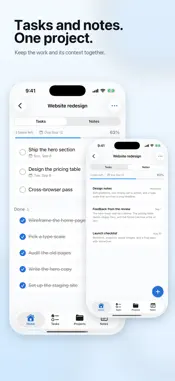
Everything has a place. Organizly is a simple personal organizer for tasks, projects, and notes. Use it as a task manager, a to-do list, a home for notes, or all three. Capture it. Put it somewhere. Move on. Add a task before you forget it. Keep related things together in projects. Save notes you want to find again. Add due dates and reminders when they are useful, or leave them out when they are not. From a quick grocery list to an ongoing personal project, everything stays easy to add and easy to find. ○ Made for Everyday Life Organizly gives work tasks, trips, ideas, wishlists, packing lists, personal projects, and everyday responsibilities a clear place to live. Put something in Organizly, then stop holding it in your head. ○ Simple by Design • Create unlimited tasks, projects, and notes • Start from ready-made lists for packing, groceries, or moving • Add due dates and reminders • Find what you need with search, in the app or from Spotlight • Keep everything in sync with iCloud • Use Quick Add from the Lock Screen, Control Center, or Action Button • Save text, links, and text files from any app with the share sheet • Bring your lists over from the Reminders app • Undo accidental changes ○ On Apple Watch See what's next, check off tasks, and add tasks and notes by dictation, right from your wrist. You can also start a new task or note from Control Center on your watch. ○ On iPad A sidebar keeps every place one tap away, and tasks and notes open beside your list, so the next one is always in view. ○ More with Organizly+ Organizly+ adds more ways to automate and personalize your experience, with recurring tasks, Home Screen and Lock Screen widgets, Apple Watch complications, Siri and Shortcuts, custom project colors, and project templates. Choose a monthly or yearly subscription. The core Organizly experience remains free. Payment is charged to your Apple Account at confirmation of purchase. A subscription renews automatically unless it is cancelled at least 24 hours before the end of the current period. Manage or cancel your subscription in your Apple Account settings. Terms of Use: https://organizly.org/terms Privacy Policy: https://organizly.org/privacy Get it out of your head. Put it in its place.
What's New
Version 2.2.0 2026-10-20
Organizly is now on Apple Watch. • See your tasks at a glance and check them off with a tap. • Add a task or a note by dictation, right from your wrist. • Star... Technical Analysis
Package Overview Basic metadata
Bundle ID
dev.jeanie.organizly Current Version 2.2.0
Minimum iOS 18.0
Package Size App Store Size
Package Metadata 1 / 8 version records
Detailed binary, privacy manifest, framework, and Info.plist results have not been indexed for this package yet. The verified App Store and archive metadata above remains available.
Developer Information
Known Version Records
1 version record with stored package metadata • 8 known version records
Stored metadata does not guarantee a package is currently available to download.
| Details | Version / IDs | Version date | Action |
|---|---|---|---|
 33.03 MB | v1.0.7 App Store ID: 862077810Build: 14 | 2023-12-08 12:17:32 | Get Version |
| Not archived | App Store ID: 861938717 | Unknown | Request Version |
| Not archived | App Store ID: 861664162 | Unknown | Request Version |
| Not archived | App Store ID: 861055238 | Unknown | Request Version |
| Not archived | App Store ID: 861049536 | Unknown | Request Version |
| Not archived | App Store ID: 860868452 | Unknown | Request Version |
| Not archived | App Store ID: 860853759 | Unknown | Request Version |
| Not archived | App Store ID: 860613770 | Unknown | Request Version |