Preview


Description
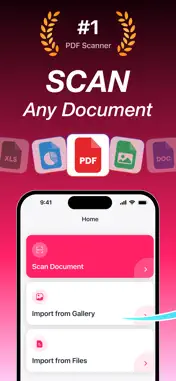
Turn your iPhone into a fast, private PDF scanner. Scan documents in one tap — receipts, contracts, notes, IDs — and save them as clean, shareable PDFs. PDF Documents Scanner uses Apple's VisionKit to detect document edges, capture, and convert to PDF — all on your device. No cloud uploads, no accounts, no data leaks. WHAT'S FREE • One complete document every week — scan it, convert it, save it, view it, share it • Auto edge detection on every scan • All filters: original, enhanced, grayscale, black & white • Rotate and reorder pages • No watermarks on your PDF PREMIUM (subscription required) • Unlimited documents — scan and save as many as you want • Extract text from any scan and copy it • Import from Photos • Import from Files Your free document each week is a real, finished PDF. No watermark, no expiry, no locked preview. The Home screen always shows how many free scans you have left before you start. SMART DOCUMENT SCANNING Auto-detect document edges and capture in one tap. Built with Apple's VisionKit for crisp, accurate scans every time. SMART FILTERS Auto-enhance every scan with enhanced, grayscale, and black & white filters. Sharper, cleaner pages with no manual tweaking. ROTATE & PERFECT Fix page orientation with a single tap. Get exactly the document you need. EXTRACT TEXT — Premium Open any saved document and tap Copy Text. The app reads the page and gives you the words back, ready to paste into an email, a note, or a search box. Recognition runs entirely on your iPhone — your documents are never uploaded. ORGANIZED LIBRARY Every document you save is organized and easy to find. Tap any document to view, share, or export. SHARE EVERYWHERE Send PDFs via Mail, Messages, AirDrop, or Files — anywhere iOS supports sharing. IMPORT FROM ANYWHERE — Premium Turn existing photos or files into PDFs. Import from Photos or Files in seconds. PRIVATE BY DESIGN Most scanner apps upload your documents to their servers. PDF Documents Scanner processes everything on-device — edge detection and text recognition both run on your iPhone. Your receipts, contracts, and IDs stay where they belong. Download PDF Documents Scanner and turn your iPhone into a private pocket scanner today. Terms of Use: https://www.apple.com/legal/internet-services/itunes/dev/stdeula/ Privacy Policy: https://docs.google.com/document/d/e/2PACX-1vQHCNI-JA4AUXOFM21Xnhp58kJkSFvC3nr9zvBY77JKTdiwFICBvKw4r6OHzbdw2AlpeY-0ENuc9lVj/pub
What's New
Version 1.2 2026-09-08
Your free scan is now a real, finished PDF. Every week you get one complete document — scan it, convert it, save it, view it, and share it, with no watermark. ... Technical Analysis
Package Overview Basic metadata
Bundle ID
com.echiruk.pdfscan Current Version 1.2
Minimum iOS 16.0
Package Size App Store Size
Package Metadata 0 / 2 version records
Detailed binary, privacy manifest, framework, and Info.plist results have not been indexed for this package yet. The verified App Store and archive metadata above remains available.
Known Version Records
0 version records with stored package metadata • 2 known version records
Stored metadata does not guarantee a package is currently available to download.
| Details | Version / IDs | Version date | Action |
|---|---|---|---|
| Not archived | App Store ID: 889089323 | Unknown | Request Version |
| Not archived | App Store ID: 884818747 | Unknown | Request Version |