
Preview

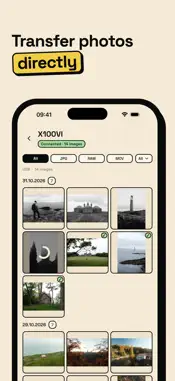


Description
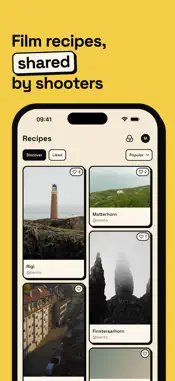
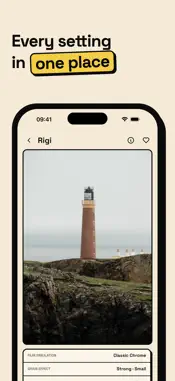
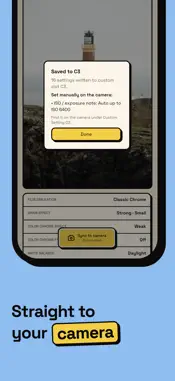
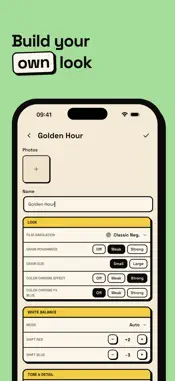
Bento is a film recipe companion for FUJIFILM X series cameras. Browse recipes the community has shared, build your own, and write them to your camera's custom slots over USB. No more typing settings in by hand. RECIPE CATALOG • Community film simulation recipes, each with real sample photos • Every setting in one place: film simulation, dynamic range, highlight and shadow tone, color, white balance with shift, grain, Color Chrome Effect and more • Like the ones you want to keep and find them again under Liked • Publish your own recipes under your name and see how many people like them WRITE RECIPES TO YOUR CAMERA • Plug in a USB cable and save any recipe to a custom slot, C1 to C7 • A per-setting report shows what was applied. The few settings the camera does not expose over USB are listed so you can enter them in seconds • Read the presets currently on your camera and turn them into recipes SEE A RECIPE BEFORE YOU SHOOT IT • Pick a RAF file from your camera and let the camera itself render it with the recipes you choose, using its built-in RAW conversion • Compare the results side by side. These are real camera JPEGs, not an approximation GOOD TO KNOW • Verified with the FUJIFILM X100VI. Other recent X series bodies may work but have not been verified yet • Writing recipes and rendering samples need a USB cable. Everything happens between your phone and the camera, no cloud involved • No account needed. Your likes and your own recipes are kept under an anonymous identifier. Sign in with Apple or Google only if you want to publish, and delete your account any time from the You screen Bento is an independent app and is not affiliated with, endorsed, or sponsored by FUJIFILM Corporation. FUJIFILM, X series, and the film simulation names are trademarks of their respective owners.
What's New
Version 1.0.4 2026-11-12
Fire your FUJIFILM camera from your iPhone over Bluetooth, no Wi-Fi needed. • New Camera tab with a drawing of each of your cameras. Open one to release its sh...Fire your FUJIFILM camera from your iPhone over Bluetooth, no Wi-Fi needed. • New Camera tab with a drawing of each of your cameras. Open one to release its shutter. • Hold the button to keep shooting in continuous drive. • Fire from the Action Button: choose Bento's "Fire shutter" shortcut under Settings › Action Button. It works with the phone locked, and from Shortcuts and Siri too. Technical Analysis
Package Overview Basic metadata
Bundle ID
com.yannickpulver.bento Current Version 1.0.4
Minimum iOS 18.2
Package Size App Store Size
Package Metadata 0 / 0 version records
Detailed binary, privacy manifest, framework, and Info.plist results have not been indexed for this package yet. The verified App Store and archive metadata above remains available.
Developer Information
Known Version Records
0 version records with stored package metadata
Stored metadata does not guarantee a package is currently available to download.
| Details | Version / IDs | Version date | Action |
|---|