Preview


Description
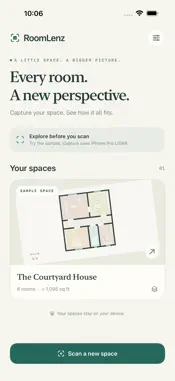
RoomLenz helps you capture a room, understand its layout and explore it through floor plans, 3D models and 360° photo tours. SCAN WITH LiDAR • Capture walls, openings and main furniture with Apple RoomPlan on a LiDAR-equipped iPhone Pro or iPad Pro. • Scan connected rooms in the same tracking session and organize them into a property. • Review a measured floor plan, orbit the 3D model or enter the walkthrough. • Add room names and floor labels, and switch between imperial and metric measurements. • Available camera and depth information adds photographic detail to supported surfaces in the app. CAMERA FLOOR PLANS WITHOUT LiDAR • Confirm the floor and mark floor–wall corners with guided camera capture. • Review the outline, adjust corners and calibrate a room using a known wall length. • Add doors and windows, label floors and manually arrange multiple rooms. • Place panorama viewpoints on the estimated plan and open them from the map. 360° PHOTO TOURS • Capture stationary panoramas with dot-and-circle guidance, including on devices without LiDAR. • Import complete 360° equirectangular photos from Photos or Files. • Connect viewpoints and move between them in a photographic tour. • Add optional viewpoints to a LiDAR scan and open them from the 3D space. SAVE AND SHARE • Keep projects on your device and revisit them offline. • Export floor plans as PDF or PNG and project data as JSON. • Share individual panorama JPEGs. • Export native RoomPlan USDZ geometry when available for a measured scan. YOUR SPACE, IN YOUR CONTROL Room scans and photos are processed on your device. No account, purchases, subscriptions, advertising or third-party analytics SDKs are required. You choose when to export or share. iOS or iPadOS 17 or later is required. Measured room scanning requires LiDAR. Camera floor-plan capture requires ARKit world tracking, and guided panorama capture requires a rear camera and device motion. Camera permission is required for capture. Good light and steady movement improve results. Camera floor plans are estimates; room alignment and panorama placement are manual. Hidden surfaces, glass, mirrors and moving objects can affect capture. Measurements are not a substitute for a professional survey. Photographic materials enhance the in-app view; native USDZ exports contain RoomPlan geometry. Try the included sample property to explore the viewing and floor-plan tools before scanning. Support: https://roomlenz.com/support/ Privacy: https://roomlenz.com/privacy/
What's New
Version 1.1.0 2026-10-17
• Create estimated floor plans on devices without LiDAR using guided floor and corner capture. • Calibrate dimensions, edit room outlines, add doors and windows...• Create estimated floor plans on devices without LiDAR using guided floor and corner capture. • Calibrate dimensions, edit room outlines, add doors and windows, and arrange rooms across floors. • Place panorama viewpoints on camera floor plans and open them from the tour map. • Capture and connect 360° photo tours on devices without LiDAR. • Improve the normal panorama capture configuration for faster processing. • Simplify Create space: LiDAR devices offer LiDAR scan and 360° photo tour; Camera plan is offered on devices without LiDAR. Technical Analysis
Package Overview Basic metadata
Bundle ID
com.roomlenz.app Current Version 1.1.0
Minimum iOS 17.0
Package Size App Store Size
Package Metadata 0 / 0 version records
Detailed binary, privacy manifest, framework, and Info.plist results have not been indexed for this package yet. The verified App Store and archive metadata above remains available.
Developer Information
Known Version Records
0 version records with stored package metadata
Stored metadata does not guarantee a package is currently available to download.
| Details | Version / IDs | Version date | Action |
|---|