
Preview




Description
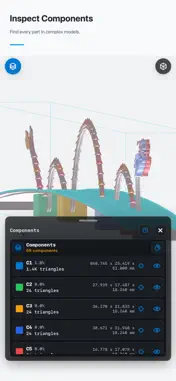
Open and inspect STL files with STL Viewer, a 3D model viewer for 3D printing, CAD review and mesh measurement. Check dimensions and geometry on your phone or tablet before sharing a model or preparing a print. OPEN BINARY AND ASCII STL FILES Import STL models from your file manager, email attachments or cloud drive. Keep copies in a local library for convenient access. Model inspection runs on your device without an account or uploading STL files to our servers. EXPLORE YOUR 3D MODEL Rotate, zoom, pan and fit the model to the screen. Switch between shaded, wireframe and point views, use standard viewing directions, and show bounding boxes and dimensions. MEASURE AND INSPECT Measure distances, angles and X/Y/Z dimensions. Examine cross sections, volume and surface area. Use wall-thickness views, normal visualization, component coloring and printability checks to investigate mesh issues. ORGANIZE AND SHARE Find models in your STL library and share model images or inspection results. Premium options are available through in-app purchases. STL Viewer helps you inspect geometry; print settings and material choice still need to be checked for your printer. Privacy Policy: https://docs.google.com/document/d/1fPpYIUs9nyiLBl27gIhtaJYv-lsw6kDTgKDAcx1PT-s/preview Terms of Use (EULA): https://www.apple.com/legal/internet-services/itunes/dev/stdeula/ Subscription Terms: https://www.apple.com/legal/internet-services/itunes/dev/stdeula/
What's New
Version 1.0.1 2026-09-28
- Improved performance and memory use when working with large files. - Addressed user feedback and improved stability. Technical Analysis
Package Overview Basic metadata
Bundle ID
com.ymobile.stl Current Version 1.0.1
Minimum iOS 17.0
Package Size App Store Size
Package Metadata 1 / 1 version records
Detailed binary, privacy manifest, framework, and Info.plist results have not been indexed for this package yet. The verified App Store and archive metadata above remains available.
Developer Information
Known Version Records
1 version record with stored package metadata
Stored metadata does not guarantee a package is currently available to download.
| Details | Version / IDs | Version date | Action |
|---|---|---|---|
| 45.8 MB | v1.0 App Store ID: 887246743Build: 1.0 | 2026-07-06 03:49:49 | Get Version |