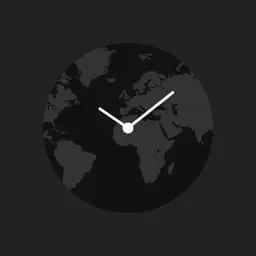
Preview


Description
With Globe Clock, you can quickly check the time in cities around the world and see the time difference from your current location. Swipe left or right across the map as if you were spinning a globe, then tap the city you want to explore. The glowing red dot on the map marks your current location.* Your location and its day of the week, date, and time appear in the red bar at the bottom left of the screen. Tap a destination dot and it will glow blue. The destination and its day of the week, date, and time will appear in the blue bar at the bottom right. The arrow at the bottom center shows the time difference between your current location and the destination. A “Summer Time” icon appears for regions that observe daylight saving time. The icon lights up green while daylight saving time is in effect. Tap the “Time Zone” button at the bottom center to show time zones on the world map, including their offsets from Coordinated Universal Time (UTC). * Showing your current location on the map requires GPS or a Wi-Fi connection.
What's New
Version 1.2 2026-10-08
Updated for current iPad screen sizes and recent iPadOS versions. Improved layout and stability. Technical Analysis
Package Overview Basic metadata
Bundle ID
com.y-dsgn.worldclock Current Version 1.2
Minimum iOS 15.0
Package Size App Store Size
Package Metadata 0 / 0 version records
Detailed binary, privacy manifest, framework, and Info.plist results have not been indexed for this package yet. The verified App Store and archive metadata above remains available.
Developer Information
Known Version Records
0 version records with stored package metadata
Stored metadata does not guarantee a package is currently available to download.
| Details | Version / IDs | Version date | Action |
|---|