
Preview





Description
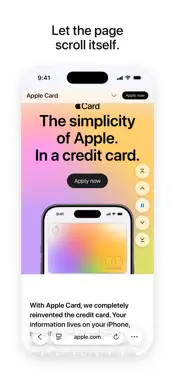
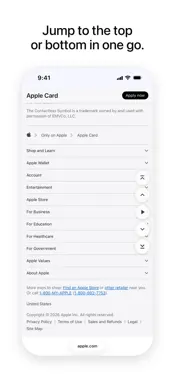
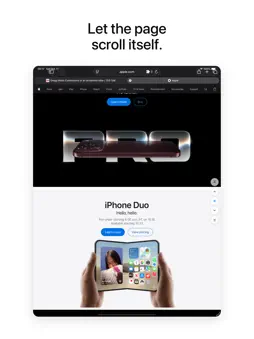
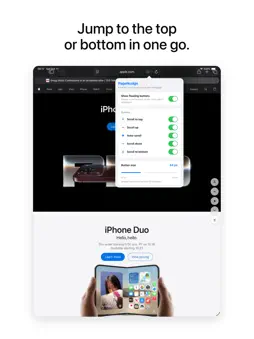
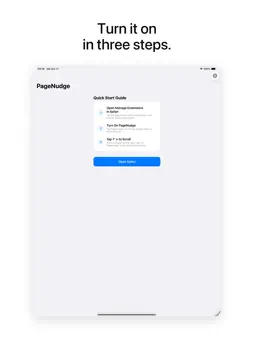
Make long Safari pages easier to move through. PageNudge places five simple scroll controls within easy reach: Top, Up, Auto-scroll, Down, and Bottom. Start with Up, Auto-scroll, and Down, then add Top and Bottom whenever you like. NUDGE BY THE VISIBLE PAGE Up and Down move by a percentage of what you can currently see—80% by default—so you always know where the next press will land. SET YOUR OWN PACE Choose a scroll distance from 10% to 100% in 5% steps. Your preference is stored locally by the Safari extension. LET IT SCROLL FOR YOU Turn on Auto-scroll for a slow, steady glide down the page. It stops on its own when you reach the end, scroll yourself, or press another control. JUMP TO THE TOP OR BOTTOM Turn on Top and Bottom in the popup, and starting over or skipping ahead takes one press. KEEP ONLY WHAT YOU NEED Turn each control on or off from the Safari toolbar popup, resize them with a slider, or hide them all at once. Changes apply to pages that are already open. READY FOR MORE THAN LONG PAGES When the page itself does not scroll, PageNudge can use the largest visible scroll area—useful for webpages built around scrollable panels. MADE TO FIT SAFARI • Light and dark appearances • Button movement respects Reduce Motion • Controls stay off printouts • Controls hide when a webpage enters full-screen mode • VoiceOver labels and keyboard focus indicators QUICK TO START The companion app walks you through enabling PageNudge in Safari. Once website access is allowed, the controls appear on supported webpages. PRIVACY AND ACCESS PageNudge needs website access to place and operate its controls on webpages where you allow it. This version contains no advertising or analytics code. PageNudge preferences are stored in Safari's local extension storage. Requires iOS or iPadOS 17.6 or later.
Technical Analysis
Package Overview Basic metadata
Bundle ID
com.nate.PageNudge Current Version 1.0
Minimum iOS 17.6
Package Size App Store Size
Package Metadata 0 / 0 version records
Detailed binary, privacy manifest, framework, and Info.plist results have not been indexed for this package yet. The verified App Store and archive metadata above remains available.
Developer Information
Known Version Records
0 version records with stored package metadata
Stored metadata does not guarantee a package is currently available to download.
| Details | Version / IDs | Version date | Action |
|---|