
Preview




Description
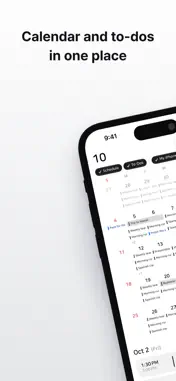
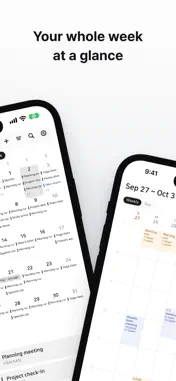
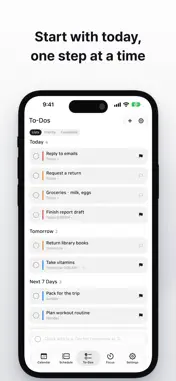
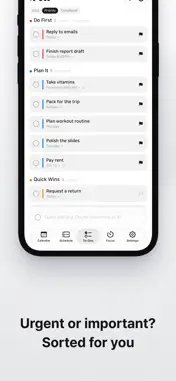
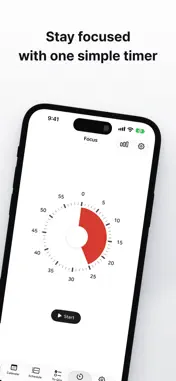
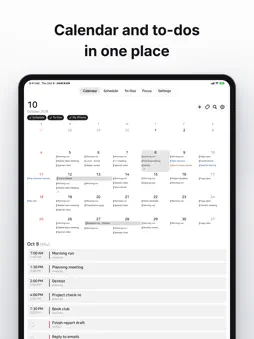
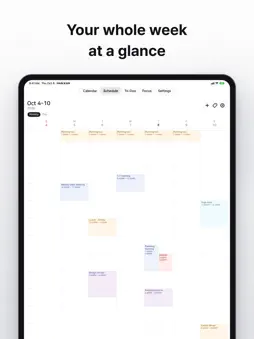
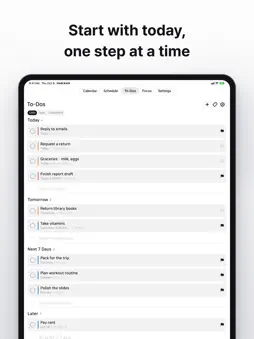
Your events and to-dos, finally in one place. HAN:KAN brings your calendar, schedule and to-dos together in one app. It shows the events already in your Apple Calendar alongside your to-dos — as a month calendar, a weekly timetable and a list. No more switching between two apps to see your day. ■ Calendar — your month at a glance • Month view by default; pinch with two fingers to see the whole year • Touch and hold an empty day to add an event, or drag to make a multi-day event • Drag an event to move it to another day • Multi-day events appear as one continuous bar • Choose tag style, color and size with a live preview ■ Schedule — your week, hour by hour • See events by day and hour, like a class timetable • Drag a block to change its time, or drag an empty slot to create an event • A red line marks the current time ■ To-Dos — grouped by due date and tag • Sorted automatically into Overdue, Today, Tomorrow and Next 7 Days • Tag your to-dos to color-code them, and see them grouped in the Tags view • Tap the blank line at the end of a group to add a to-do right there • Seven styles: By Due Date, Upcoming, One at a Time, Notepad, Tag Tiles, Paper Weekly and Sticky Wall • Repeating to-dos and a record of what you've completed ■ Focus — a timer to keep on while you study • A dial timer that shows the time left as a shrinking slice • Finished sessions add up in your weekly record ■ Widgets • Today's Schedule, Weekly Schedule, To-Dos, Weekly and This Month • Check your day right from the Home Screen ■ Notifications • Get reminded of events and to-dos on time • Mark a to-do as done or snooze right from the notification ■ Your data stays yours • No account, no sign-in • To-dos and HAN:KAN events stay on your device, and sync through your own iCloud if you choose • Apple, Google and Outlook events stay in their original calendars
What's New
Version 1.1.3 2026-11-11
Completed to-dos now show on the calendar. • Completed to-dos appear faded and struck through on the day you completed them • Fixed a crash in the Done view of ...Completed to-dos now show on the calendar. • Completed to-dos appear faded and struck through on the day you completed them • Fixed a crash in the Done view of To-Dos • Fixed a crash that could happen during iCloud sync Technical Analysis
Package Overview Basic metadata
Bundle ID
com.sheep1sik.hankan.app Current Version 1.1.3
Minimum iOS 18.0
Package Size App Store Size
Package Metadata 0 / 0 version records
Detailed binary, privacy manifest, framework, and Info.plist results have not been indexed for this package yet. The verified App Store and archive metadata above remains available.
Known Version Records
0 version records with stored package metadata
Stored metadata does not guarantee a package is currently available to download.
| Details | Version / IDs | Version date | Action |
|---|