
Preview


Description
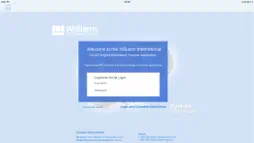
Overview Williams International - MyEngine - Information File Transfer This application facilitates the transfer of Engine Information (e-info) files from an Aircraft to Williams International. The MyEngine application has 2 Connection Modes, Aircraft and WI. In Aircraft Connection Mode the flight files on the Aircraft are acquired by the iPad. In WI Connection Mode, the e-info files are uploaded to Williams International. Acquiring Aircraft Files In order to acquire Aircraft flight files, change to Aircraft Connection Mode. Use the [ Make a Connection ], [ Connect to Aircraft ] or [ Connect to Internet ] button on the home page to access the iPad Settings (Wi-Fi) and select the appropriate Aircraft network. Once the Aircraft Wi-Fi setting is selected, return to the MyEngine home page and verify Aircraft availability via the [ Wi-Fi ] display. Aircraft file acquisition will begin automatically. Aircraft files can be re-acquired, or a cancelled acquisition can be restarted, by using the [ Retry Transfer ] button. Notifications will provide file acquisition progress or error messages. Transferring Files to Williams International After Aircraft flight files have been acquired, transfer to Williams International is available. Change to WI Connection Mode (via Internet) by using the [ Connect to Internet ] or [ Make a Connection ] button on the home page to access the iPad Settings (Wi-Fi) and select the appropriate Internet network. Once the Williams Connect (Internet) Wi-Fi setting is selected, return to the MyEngine home page and verify availability via the [ Wi-Fi ] display. File transfer to Williams International will begin automatically. Files can be re-sent, or a cancelled transfer can be restarted, by using the [ Retry Transfer ] button. Notifications will provide file transfer progress or error messages.
What's New
Version 1.11 2024-07-01
New release to speed up file transfers and remove interruptions to the file transfer process. Technical Analysis
Package Overview Basic metadata
Bundle ID
com.williams-int.WI-FADEC Current Version 1.11
Minimum iOS 11.0
Package Size App Store Size
Package Metadata 0 / 6 version records
Detailed binary, privacy manifest, framework, and Info.plist results have not been indexed for this package yet. The verified App Store and archive metadata above remains available.
Known Version Records
0 version records with stored package metadata • 6 known version records
Stored metadata does not guarantee a package is currently available to download.
| Details | Version / IDs | Version date | Action |
|---|---|---|---|
| Not archived | App Store ID: 864988173 | Unknown | Request Version |
| Not archived | App Store ID: 850487137 | Unknown | Request Version |
| Not archived | App Store ID: 848074761 | Unknown | Request Version |
| Not archived | App Store ID: 835823936 | Unknown | Request Version |
| Not archived | App Store ID: 827676458 | Unknown | Request Version |
| Not archived | App Store ID: 812985215 | Unknown | Request Version |