
Preview




Description
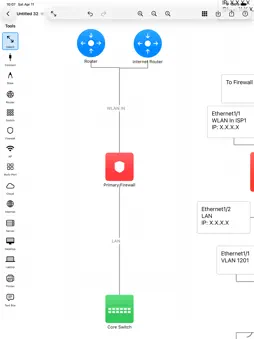
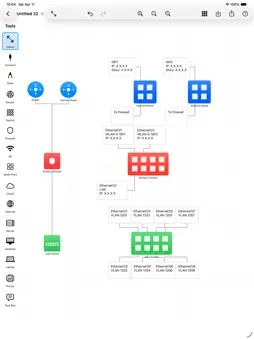
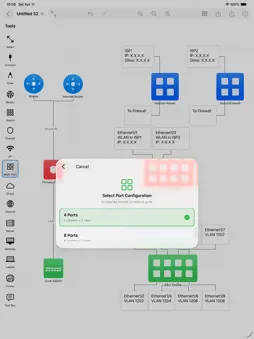
Design Simple and Clean Network Diagrams on Your iPad NetSketch is a simple yet intuitive network diagram tool built specifically for iPad. Whether you're a network engineer, IT professional, system architect, or student, NetSketch helps you create simple, clear network topology diagrams without the need of cloud services or licenses. Perfect For: • Network engineers documenting infrastructure • IT professionals planning network upgrades • System architects designing new systems • Students learning network concepts • Consultants presenting network solutions • Anyone who needs to visualize network topology Key Features: Optimized for iPad Touch-optimized interface designed specifically for iPad. Enjoy the freedom of creating diagrams anywhere, without being tied to a desktop. Easy to Understand Network Symbols Simple network icons including routers, switches, firewalls, servers, cloud services, desktops, laptops, and more. Intelligent Connection Routing Automatic orthogonal (right-angle) line routing creates professional-looking diagrams. Lines intelligently avoid overlaps and route around obstacles. Choose from 8 connection points on each device for perfect alignment. Easy Editing • Move and arrange with simple gestures • Add labels and annotations with text boxes • Customize colors to organize by function or location • Adjust text size and formatting • Click to place symbols easily Snap-to-Align Grid Enable snap-to-align to automatically line up devices perfectly. Create clean, organized diagrams with consistent spacing. Full Document Support • Save unlimited network diagrams • Open and edit existing diagrams • iCloud sync across all your devices • Standard document-based app architecture Export & Share Export your diagrams as high-resolution PNG images or PDF documents. Perfect for presentations, documentation, or printing. Share via email, AirDrop, Messages, or save to Files. Zoom & Pan Zoom in for detailed work or zoom out to see the big picture. Smooth panning and pinch-to-zoom gestures make navigation effortless. Text Annotations Add detailed text boxes anywhere on your diagram. Perfect for labeling VLANs, IP subnets, network zones, or adding explanatory notes. Supports Apple Pencil. Color Customization Change device colors to create visual organization. Group by location, function, security zone, or any system that works for you. Why NetSketch? Unlike complex desktop diagramming tools, NetSketch is built from the ground up for touch interaction. No menus to dig through, no complicated toolbars—just natural, intuitive design that let you focus on your network design, not the software. NetSketch respects your privacy. All diagrams are stored locally on your device or in your personal iCloud storage. We don't collect, analyze, or store any of your data. Use Cases: • Document existing network infrastructure • Plan network upgrades and expansions • Create network diagrams quickly and easily • Design data center layouts • Visualize cloud architecture • Map security zones and firewall rules • Educational network topology diagrams • Quick whiteboard-style sketches No Subscription Required One-time purchase. Use forever. No monthly fees, no feature locks, no ads. Get Started in Seconds: 1. Select a device from the toolbar 2. Tap the canvas to place it 3. Add connections between devices 4. Customize labels and colors 5. Export and share
What's New
Version 2.2 2026-06-24
* Fixed a bug where the zones were laid on top of connector lines causing those connector lines not to be selectable. NetSketch 2.2 brings an upgrade to path s...* Fixed a bug where the zones were laid on top of connector lines causing those connector lines not to be selectable. NetSketch 2.2 brings an upgrade to path simulation — built for network engineers who need more than a highlight: • Connection labels in the hop list — interface and link labels (e.g. "Gi0/1", "10GbE Trunk") now appear between each pair of hops in the trace result, so you can read the full path at a glance. • "What if this link fails?" re-routing — tap the fail toggle next to any link in the result panel to mark it as down. NetSketch immediately finds the fallback path and shows it on the canvas. Excluded links highlight in red so the topology change is clear. Restore the link just as easily. • Multiple path discovery — NetSketch now finds up to five distinct paths between source and destination. A colour-coded picker lets you switch between paths instantly; all routes are shown simultaneously on the canvas so you can compare redundancy without losing context. • Step-through hop animation — a new Step Through mode reveals the trace one hop at a time, with a pulsing ring on the current frontier device. Ideal for team walkthroughs, training sessions, and incident reviews. Technical Analysis
Package Overview Basic metadata
Bundle ID
com.v0rpal.NetSketch Current Version 2.2
Minimum iOS 18.5
Package Size App Store Size
Package Metadata 0 / 7 version records
Detailed binary, privacy manifest, framework, and Info.plist results have not been indexed for this package yet. The verified App Store and archive metadata above remains available.
Known Version Records
0 version records with stored package metadata • 7 known version records
Stored metadata does not guarantee a package is currently available to download.
| Details | Version / IDs | Version date | Action |
|---|---|---|---|
| Not archived | App Store ID: 887360385 | Unknown | Paid / Arcade |
| Not archived | App Store ID: 887259212 | Unknown | Paid / Arcade |
| Not archived | App Store ID: 884519263 | Unknown | Paid / Arcade |
| Not archived | App Store ID: 884199938 | Unknown | Paid / Arcade |
| Not archived | App Store ID: 883619450 | Unknown | Paid / Arcade |
| Not archived | App Store ID: 880184468 | Unknown | Paid / Arcade |
| Not archived | App Store ID: 879780733 | Unknown | Paid / Arcade |