
Preview





Description
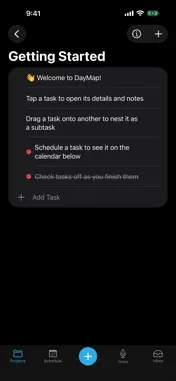
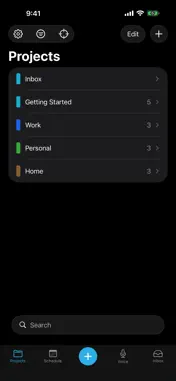
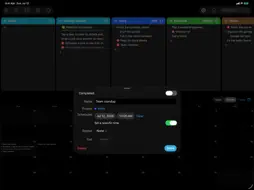
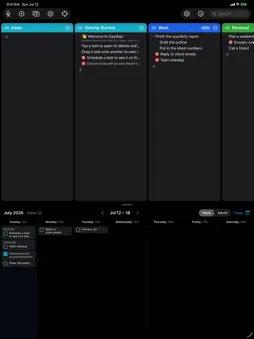
Most productivity apps make one thing easy. Some manage tasks. Others focus on projects, calendars, or notes. But real life doesn't fit into just one — your projects shape your schedule, and your schedule decides what you get done today. DayMap brings them together — one clear view of where you are, where you're headed, and what to do next: • Capture ideas before they slip away • Organize them into color-coded projects • Schedule them on a built-in calendar • Focus on today's next step FEATURES • Project board — clean, color-coded columns • Tasks & subtasks — break big things into doable steps • Built-in scheduler — drag a task onto the calendar to plan your week, or see everything ahead in Upcoming • Notes & links — keep info (and tappable links) with any task or project • Focus mode — see just what matters for a chosen day • Quick capture — jot to your Inbox by keyboard or voice • Contexts — group projects by area of life • Print or share — a day, a week, or a whole project, as PDF or plain text • On your Home Screen — a Today widget, plus Siri, Shortcuts, and Spotlight search • Apple Watch — today's tasks on your wrist DAYMAP PRO unlocks iCloud sync across Mac, iPad, iPhone & Apple Watch, calendar mirroring to Apple Calendar, recurring tasks, contexts, and unlimited projects. Free to start with up to 5 projects on one device. Whether you're leading a business, serving in ministry, running a household, or building a side project — know where you are, see where you're headed, and choose your next step. One day at a time. Terms of Use (EULA): https://www.apple.com/legal/internet-services/itunes/dev/stdeula/
What's New
Version 1.58 2026-11-06
In Progress: mark a task you have started but not finished. On the Mac, Option-click its checkbox. On iPhone and iPad, press and hold it and choose Mark In Prog...In Progress: mark a task you have started but not finished. On the Mac, Option-click its checkbox. On iPhone and iPad, press and hold it and choose Mark In Progress. It shows as a dash, moves forward with your other unfinished work, and for a repeating task it applies to that day only. Recently Deleted: tasks and projects you delete are kept for 30 days on that device. Open Settings > Backups > Recently Deleted to put one back where it was, with its subtasks. Getting started on iPhone is quicker. Add your first task for today right from the welcome screen, and DayMap opens on your day. A subtask's details now say which task it sits under, and Take Me to names the task group it opens. On iPhone, press and hold a scheduled task and choose Take Me to. On the Mac, Shift-Command-S expands the Scheduler to fill the window, and brings it back. Technical Analysis
Package Overview Basic metadata
Bundle ID
com.whetstonesolutions.daymap Current Version 1.58
Minimum iOS 17.0
Package Size App Store Size
Package Metadata 0 / 0 version records
Detailed binary, privacy manifest, framework, and Info.plist results have not been indexed for this package yet. The verified App Store and archive metadata above remains available.
Developer Information
Known Version Records
0 version records with stored package metadata
Stored metadata does not guarantee a package is currently available to download.
| Details | Version / IDs | Version date | Action |
|---|