Preview

Description
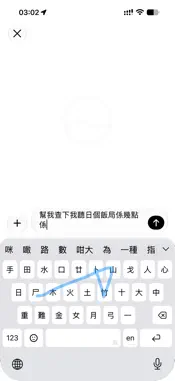
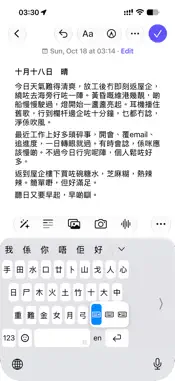
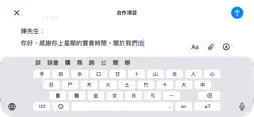
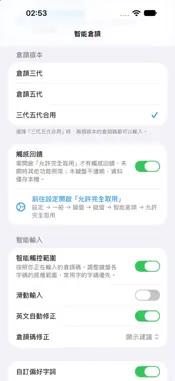
Smart Cangjie (智能倉頡) is a Cangjie keyboard with exactly the same key layout as the built-in iOS Cangjie keyboard — nothing new to learn, just fewer typos. ADAPTIVE TOUCH ZONES As you type a Cangjie code, the keyboard works out which radical is most likely to come next and quietly enlarges its touch zone, while unlikely radicals shrink. The keys look the same, but a slightly off-target tap still lands on the right radical. No radical is ever blocked. CANGJIE CODE CORRECTION If a code matches no character, the keyboard looks for what you meant — a neighbouring radical, an extra tap or a missed one — and offers the corrected character in the candidate bar. SWIPE TYPING Slide across a character's radicals without lifting your finger, for example 竹→日→心→戈 for 的. PREDICTIONS AND PREFERENCES • Suggested next characters after each one you type • Preferred characters: rank one of two easily confused characters first, such as 你 (人弓火) over 伓 (人一火) • Preferred phrases: add phrases like 我哋, and 哋 comes first after you type 我 • Hong Kong character forms and Cantonese word frequencies MORE • Cangjie 3, Cangjie 5, or both • English keyboard with autocorrect and next-word suggestions • Emoji • One-handed keyboard (left or right) • Split keyboard on iPhone Duo when open in landscape • Dark mode • Haptic feedback PRIVACY The keyboard never connects to the network and collects no data. What it learns about your typing stays on your device. Allow Full Access is only needed for haptic feedback. SETUP 1. Open the app and tap "Enable the Keyboard in Settings" 2. Choose 智能倉頡 3. In any text field, hold the globe key and choose 智能倉頡
What's New
Version 1.0.1 2026-10-22
Bug fixes: - Ability to choose Cantonese and Mandarin for voice input - Added a common Hong Kong word 「吓」 Technical Analysis
Package Overview Basic metadata
Bundle ID
wg.smartcj Current Version 1.0.1
Minimum iOS 18.0
Package Size App Store Size
Package Metadata 0 / 0 version records
Detailed binary, privacy manifest, framework, and Info.plist results have not been indexed for this package yet. The verified App Store and archive metadata above remains available.
Known Version Records
0 version records with stored package metadata
Stored metadata does not guarantee a package is currently available to download.
| Details | Version / IDs | Version date | Action |
|---|