
Preview







Description
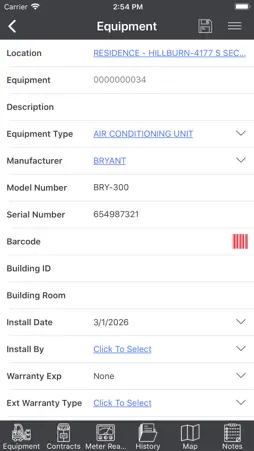
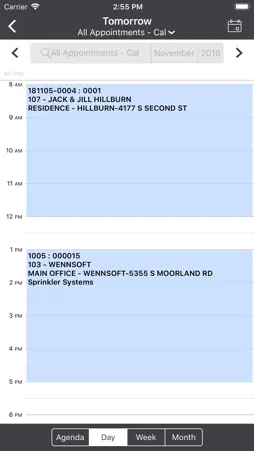
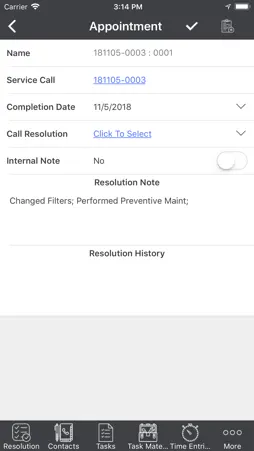
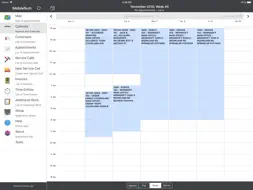
IMPORTANT: MobileTech R7.0 is compatible with Signature 2015 R2 SP3, Signature 2016 R3 SP1, Signature 2018 R2, and Signature 2018 R3. DO NOT INSTALL THIS WITHOUT TALKING TO YOUR SYSTEM ADMINISTRATOR See the Readme for more information. NEW FEATURES • Updated the look with new icons and colors. • Added compatibility to use Woodford's Mobile Audit feature. • Offline HTML enhancements: New Service Call, Additional Work, Location Contacts, Job Appointment Resolution, Appointment Summary • Technicians can now add a Resolution Note on a job appointment.* • Signature Capture has been moved to the bottom of the Summary tab. • Contacts added/modified in MobileTech can be approved in Signature.* • Ability to consume multiple service (labor) inventory items with the same exact item number *Compatible with Signature 2018 R3 (and higher). BUGS FIXED • Resolved an issue with the iOS app crashing upon launching. • If a vendor has been marked Inactive or On Hold in Signature, they will no longer display in MT. • Using a number in the naming convention of an attachment description no longer causes a crash. • Expired contracts are now being removed from the Middle Tier. • Resolved an issue with a cleanup step for expired contract equipment records. • Entering an Unknown vendor longer than 15 characters no longer causes a purchaseorderdetail sync error. • Errors no longer exist when adding inventory using task materials. • Adding new equipment to service call no longer automatically assigns the equipment. • TimeLog conversion to UTC has been updated to properly cross the midnight hour when Time Zone Views are enabled. • Generating the Previous Week Time Sheet no longer generates an error when the technician is in a different time zone than the report server. • User is no longer prompted that a cost code is a required field when saving an existing job appointment. • Labor transactions created via the TimeTrackService are now rounded in the same manner as manually entered TimeTrack transactions. • Removed note type I from the integration sync process, resolving the message "ExecuteScalar CommandText not set" error during the integration syncs. • Assigning equipment on service calls during the completion process no longer causing synchronization errors, as the default task will be created if it does not already exist on the service call. • Integration Sync now properly recognizes the Location Contact Delete, and the record is removed from the database. • MT now honors the schema constraint for the Task Response type "STRING" - String or binary data, allowing only 101 characters to be entered in the form. • Corrected the issue with the Manufacturer showing as Unknown in the equipment list after assigning a piece of equipment to the current service call. • When synchronizing multiple completed appointments and generating multiple Call Summary Report emails, we will capture the error 'sender thread limit exceeded' and will automatically attempt to retry the email process. • Equipment Type is properly displayed in both the Assigned and Unassigned Equipment Views. • The time sheet report now allows for commas in employee IDs. • JobSafetyTask sync errors have been resolved, as the JobSafetyTask record will be created if it does not already exist in the middle tier. • Appointments completion dates are now properly updated when an appointment is completed after midnight GMT. • Updating GPS on an Appointment will now also update the latitude and longitude on the related Location. • Labor transactions are now updating TimeTrack with proper OH or billing amounts, as the Bill to Customer and Location logic has been updated to reflect the same process as the Service Call form in Signature. • The SMS Create Service Call stored procedure has been updated to use the Service Call Customer and Location values for the Bill Customer Number and Bill Address Code when the default Bill To values in the Service Call are blank.
Technical Analysis
Package Overview Basic metadata
Bundle ID
com.key2act.signature.mobiletech7.0 Current Version 7.0.80
Minimum iOS 8.0
Package Size App Store Size
Package Metadata 0 / 1 version records
Detailed binary, privacy manifest, framework, and Info.plist results have not been indexed for this package yet. The verified App Store and archive metadata above remains available.
Developer Information
Known Version Records
0 version records with stored package metadata • 1 known version records
Stored metadata does not guarantee a package is currently available to download.
| Details | Version / IDs | Version date | Action |
|---|---|---|---|
| Not archived | App Store ID: 830377927 | Unknown | Request Version |