Preview




Description
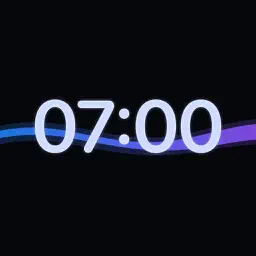
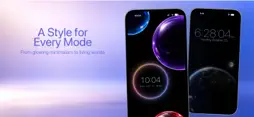
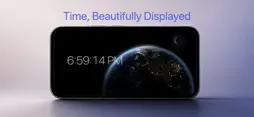
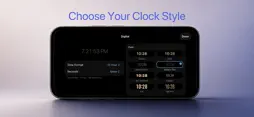
Turn your iPhone or iPad into a beautiful desk and nightstand clock. Free, with no ads and no subscriptions. AlwaysOn shows the time, your calendar, weather and more on a screen you leave docked or propped up, and on your Home Screen and Lock Screen too. START WITH A FINISHED DESIGN • Ready-made layouts, each with its own background • Swipe between layouts, and the background moves with your widgets • Change any of them, or make your own WIDGETS FOR YOUR HOME SCREEN • Clock, with seven faces including Eclipse: the time inside a glowing ring • Time Together, Daylight, Word Clock, Card Clock, Tube Clock, Countdown, Green Room, Moon Phase and Horizon • Home Screen, Lock Screen and StandBy • Tap ▶ to watch a whole day go by in seconds CLOCKS AND BACKGROUNDS • Digital clocks in eleven styles, including big iPhone-style digits • Clock backgrounds: Lens, Card (split-flap), Tube, Prism, Stone, Shadow and Green Room • Space backgrounds: Tonight's Sky shows the real stars over your city, plus Earthrise, Saturn and Jupiter • Animated and still backgrounds: Earth, Horizon, Moon Phase, Catnap, Soft Flow, Tide and more • Seasonal backgrounds for holidays and festivals MADE FOR NIGHT • Darker nights with a soft amber clock • Day Mode hours, Smart Dimming and burn-in protection • A sunrise alarm that wakes you with light YOUR LAYOUT • Arrange the clock with Calendar, Up Next, Weather, World Clock, Countdown, a Focus timer, Photos and Battery • Separate layouts for portrait and landscape, made for both iPhone and iPad PRIVATE BY DESIGN • No account, no tracking, no data collected • Available in English, Spanish and Simplified Chinese AlwaysOn turns a screen you're not using into something calm and useful.
What's New
Version 1.19 2026-11-13
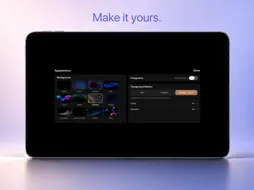
NEW in 1.19 • Workout Timer widget: an interval timer for work and rest rounds. Tap it to start: a 3, 2, 1 countdown, then the workout fills the screen with a r...NEW in 1.19 • Workout Timer widget: an interval timer for work and rest rounds. Tap it to start: a 3, 2, 1 countdown, then the workout fills the screen with a ring for each phase, the round you're on and what's next. Collapse it back into the widget and it keeps counting. A chime marks each change, even when the app isn't open. Find it under Utilities when adding a widget. • Backgrounds for each layout: every layout keeps its own list of up to 10 backgrounds, and swiping up or down moves through that layout's list. • Look: tap a background to show it, tap it again to remove it, and press and drag to change the order. Browse opens the gallery with every background you can add. • Background gallery: tap a background to preview it full screen, download it, then add it to your layout. A glow marks the ones already in your layout. IMPROVED • Photos widget: skips documents such as receipts and whiteboards, and at night it leaves out photos of people. Photos are checked on your device and never leave it. • iPhone Duo: on the outer screen, the page dots and the edit controls sit in the middle of the screen, and the toolbar reaches the edge. FIXED • A crash right after opening the app on some iPads running iPadOS 17. • On iPad, touching and holding the Focus timer opens only its menu, not the Layouts overview behind it. Technical Analysis
Package Overview Basic metadata
Bundle ID
com.weijinwang.AlwaysOnStandby Current Version 1.19
Minimum iOS 17.6
Package Size App Store Size
Package Metadata 0 / 7 version records
Detailed binary, privacy manifest, framework, and Info.plist results have not been indexed for this package yet. The verified App Store and archive metadata above remains available.
Known Version Records
0 version records with stored package metadata • 7 known version records
Stored metadata does not guarantee a package is currently available to download.
| Details | Version / IDs | Version date | Action |
|---|---|---|---|
| Not archived | App Store ID: 890260806 | Unknown | Request Version |
| Not archived | App Store ID: 890158752 | Unknown | Request Version |
| Not archived | App Store ID: 890026207 | Unknown | Request Version |
| Not archived | App Store ID: 889829013 | Unknown | Request Version |
| Not archived | App Store ID: 889580542 | Unknown | Request Version |
| Not archived | App Store ID: 889466491 | Unknown | Request Version |
| Not archived | App Store ID: 887931515 | Unknown | Request Version |