
Preview




Description
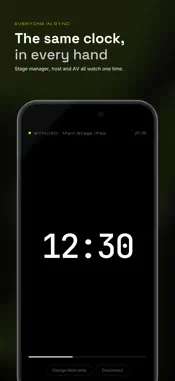
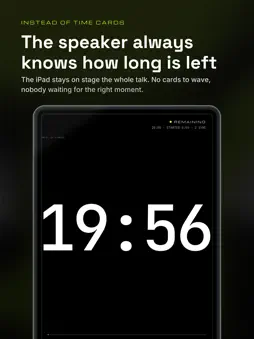
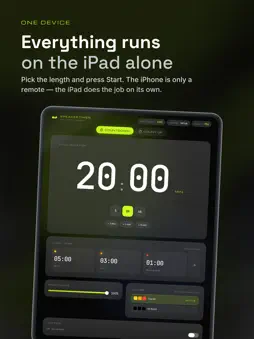
At a conference, someone always stands at the edge of the stage holding time cards — and the card only goes up twice per talk. SpeakerTimer leaves an iPad on stage showing the time the whole way through, and puts the controls on the iPhone in your seat. Nobody walks on, nobody ends up in the shot. SET IT, START IT, FORGET IT • Pick the talk length and press Start. The iPad switches to a full-screen countdown that can't be closed by accident. • The clock changes color at 5, 3, and 1 minute left. Thresholds and colors are customizable. • When time is up, the clock keeps running as overtime (+MM:SS), so the crew knows exactly how far over the talk is. • Count down or count up. RUN IT FROM YOUR SEAT • Open SpeakerTimer on iPhone and it finds the iPad on the same Wi-Fi — no accounts, no pairing codes. • Everyone on the crew mirrors the same clock, so the host, the AV desk and the stage manager read the same number. • Make one iPhone the controller (Pro) to start, pause, reset and adjust the time without walking on stage. • Send a short message to the stage screen (Pro) — "Wrap up", "Q&A time", "No rush" — instead of walking up to whisper it. SPEAKERTIMER PRO — ONE-TIME PURCHASE • Talks of any length (free: up to 20 minutes) • Up to 8 iPhones in sync (free: 1) • iPhone remote: start, pause, reset, and set the time from your phone, and send short messages to the stage screen GOOD TO KNOW • The iPad is the timer. The iPhone app needs SpeakerTimer running on an iPad nearby. • Both devices must be on the same Wi-Fi network. If the venue Wi-Fi blocks device-to-device connections, connect the iPad to the iPhone's Personal Hotspot. • No accounts, no ads, no tracking.
Technical Analysis
Package Overview Basic metadata
Bundle ID
com.dindin.dev.SpeakerTimer-iPad Current Version 1.0.0
Minimum iOS 26.0
Package Size App Store Size
Package Metadata 0 / 0 version records
Detailed binary, privacy manifest, framework, and Info.plist results have not been indexed for this package yet. The verified App Store and archive metadata above remains available.
Known Version Records
0 version records with stored package metadata
Stored metadata does not guarantee a package is currently available to download.
| Details | Version / IDs | Version date | Action |
|---|