
Preview



Description
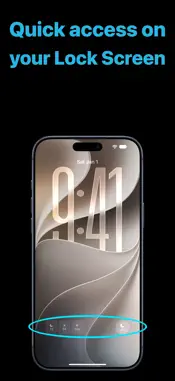
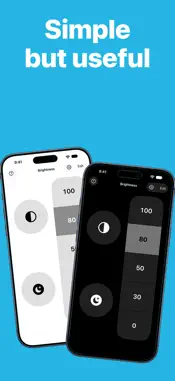
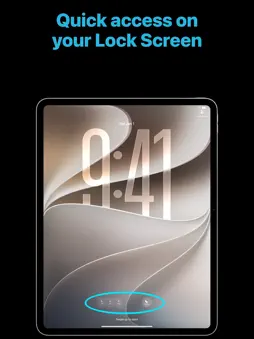
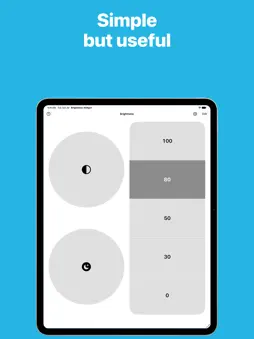
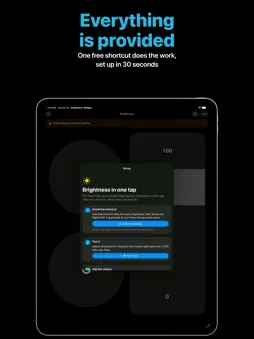
Set your screen brightness in one tap, right from your Home Screen, Lock Screen or Control Center. iOS has no brightness widget. This app gives you one: five brightness presets and two action buttons (Dark Mode and Night Shift by default), always one tap away. HOW IT WORKS iOS doesn't let apps change brightness, Dark Mode or Night Shift by themselves. The Shortcuts app can, so this app comes with a free shortcut that does the work, then takes you back to your Home Screen. Setup takes 30 seconds and the app guides you through it. EVERYWHERE YOU NEED IT • Home Screen widgets in three sizes, with five layouts: brightness on the right, left, top, bottom, or on its own • StandBy, for a bedside dimmer • Lock Screen widgets with your favorite presets • Control Center controls, also usable on the Lock Screen and the Action button • Siri and Spotlight: "Dim the screen with Brightness Widget" MAKE IT YOURS • Choose the value of each of the five presets • Link the two round buttons to any shortcut of your own and pick their icon • Show or hide the values, and choose which side the brightness sits on • Works with the Clear and Tinted Home Screen GOOD TO KNOW Auto-Brightness can change the value again after a while. To keep your setting, turn it off in Settings > Accessibility > Display & Text Size > Auto-Brightness.
What's New
Version 1.1 2026-10-21
A big update: • One shortcut instead of three. It runs your action and takes you straight back to your Home Screen. • Widget buttons now act without opening th... Technical Analysis
Package Overview Basic metadata
Bundle ID
net.gangneux.TheMissingBrightnessControl Current Version 1.1
Minimum iOS 26.0
Package Size App Store Size
Package Metadata 0 / 1 version records
Detailed binary, privacy manifest, framework, and Info.plist results have not been indexed for this package yet. The verified App Store and archive metadata above remains available.
Developer Information
Known Version Records
0 version records with stored package metadata • 1 known version records
Stored metadata does not guarantee a package is currently available to download.
| Details | Version / IDs | Version date | Action |
|---|---|---|---|
| Not archived | App Store ID: 880405497 | Unknown | Paid / Arcade |