
Preview



Description
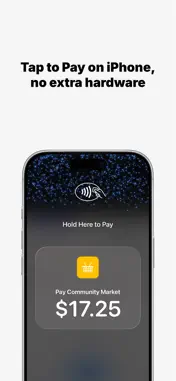
Tap to Pay on iPhone, powered by NexxTap. With Tap to Pay on iPhone and the NexxTap app, you can accept all types of in-person, contactless payments right on your iPhone, no extra terminals or hardware needed. From physical debit and credit cards to Apple Pay and other digital wallets, accept it all right on your iPhone. A NexxTap merchant account is required to use the app. Why merchants choose NexxTap * Australian owned, with local 24/7 support when you need it * A simple, low flat transaction rate * Settle to the bank account you already use, no need to switch * Funds settle the next business day How it works 1. Sign up for a NexxTap merchant account 2. Download the NexxTap app 3. Register and activate your device 4. Present your iPhone to your customer 5. Your customer taps their card or device on your iPhone 6. Funds settle to your account the next business day Built for business With Tap to Pay on iPhone, you can take payments anywhere your business goes. Check customers out away from the till and take payments on the move. All you need is your iPhone and the NexxTap app. Privacy and security, built in Tap to Pay on iPhone uses the built-in security and privacy features of iPhone to help protect your business and customer data. Apple doesn't store card numbers or PIN information on your iPhone or on Apple servers, and screen and photo capture are blocked during PIN entry, so your customers can pay with confidence. Tap to Pay on iPhone requires a NexxTap merchant account, a supported payment app and the latest version of iOS. Update to the latest version by going to Settings > General > Software Update. Tap Download and Install. Some contactless cards may not be accepted by your payment app. Transaction limits may apply. The Contactless Symbol is a trademark owned by and used with permission of EMVCo, LLC. Tap to Pay on iPhone is not available in all markets. For Tap to Pay on iPhone countries and regions, see developer.apple.com/tap-to-pay/regions.
Technical Analysis
Package Overview Basic metadata
Bundle ID
com.nexxtap.nexxtap Current Version 1.0.13
Minimum iOS 17.6
Package Size App Store Size
Package Metadata 0 / 0 version records
Detailed binary, privacy manifest, framework, and Info.plist results have not been indexed for this package yet. The verified App Store and archive metadata above remains available.
Developer Information
Known Version Records
0 version records with stored package metadata
Stored metadata does not guarantee a package is currently available to download.
| Details | Version / IDs | Version date | Action |
|---|