
Preview




Description
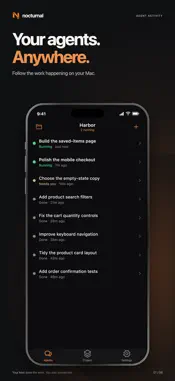
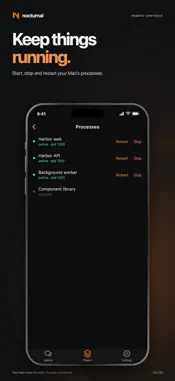
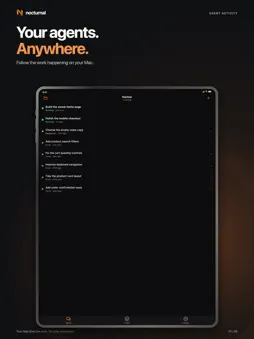
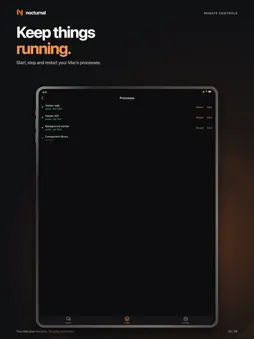
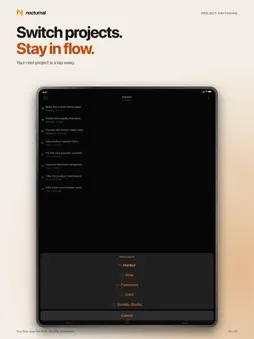
Nocturnal turns your phone into a remote control for development on your Mac. Connect to the computer running Nocturnal, follow your coding agents, and send the next instruction from your phone. • Follow agent conversations and read their latest results. • Start an agent with a project, prompt, mode, and model. • Send follow-up instructions or stop an active run. • Check your project’s branch, working tree, services, processes, issues, and CI. • Start, stop, and restart processes, or run configured project scripts. • Receive notifications when remotely started agent runs finish or fail. • Switch between your linked computers and projects. Your working project files stay on the connected computer. Coding agents, scripts, and processes run there, using the tools and provider access configured on that computer. The phone sends instructions and displays synced status and conversations; it does not run a development server or coding agent itself. Provider usage may incur separate charges. For live remote control, install Nocturnal on your Mac from https://nocturnal.sh/download, sign in, and select that linked computer in the phone app. A Nocturnal account and an online Mac running Nocturnal are required. Without a linked computer, there are no devices to control. Selected project state and agent conversations sync through Nocturnal’s cloud service so they can appear on your phone. Read our privacy policy for details and available controls.
Technical Analysis
Package Overview Basic metadata
Bundle ID
sh.nocturnal.ios Current Version 0.25.0
Minimum iOS 15.0
Package Size App Store Size
Package Metadata 0 / 0 version records
Detailed binary, privacy manifest, framework, and Info.plist results have not been indexed for this package yet. The verified App Store and archive metadata above remains available.
Developer Information
Known Version Records
0 version records with stored package metadata
Stored metadata does not guarantee a package is currently available to download.
| Details | Version / IDs | Version date | Action |
|---|