
Preview



Description
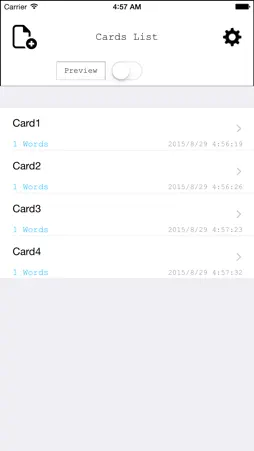
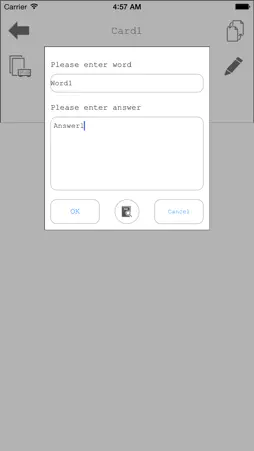
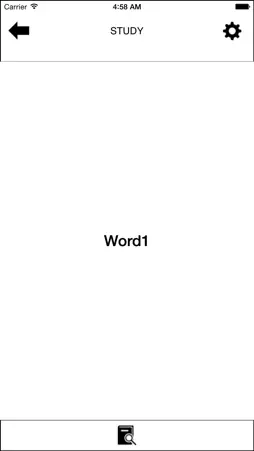
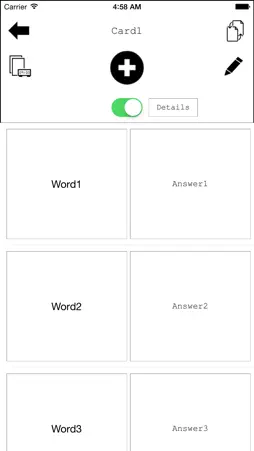
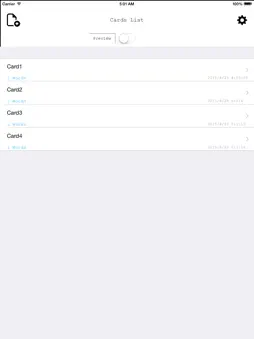
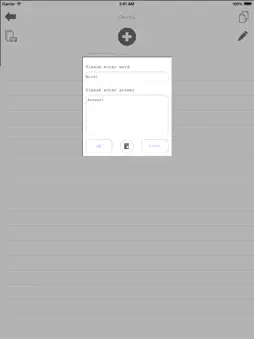
Word Card Creator will help you to remember the words which you need to memorise.Create word cards by yourself will help you to focus on the words which you wish you memorise fast and efficiently. The application is simple, easy-to-understand operation. It is suitable to study with it in your spare time like commute time or recess. ■□ Feature □■ The application is simple and easy-to-operate that you can make your own private vocabulary notebook. ■□ Function □■ ○Learning function → Able to shuffle words → Easy to replace the backwards and forwards of the cards → Able to choose card colors from red, blue, yellow and green → Automatic card scrolling function → Showing learning time ○Testing function → Retest the questions that you made a mistake with → Showing test results with the correction rate → Showing testing time ■□ User Guide □■ ● Add a Card / Word Tap "Add" button on the Cards list view or Words list view. ● Delete a Card / Word Left swipe on the Cards list view or Words list view. "Del" menu will appear. Select "Del" menu. ● Rename Card Name Left swipe on the Cards list view or Words list view. "Edit" menu will appear.(※iOS8.0〜) Select "Edit" menu. ● Shuffle Words Add 4 words in a Card at least. Shuffle the device in a Words list view. The words order will change randomly. ■□ Setting □■ ● Header Image Tap "Setting" button on the Cards list view. Turn on the Switch on the Header Image cell. Select a image from your photo albums or Default Images. ● Study Setting Tap "Setting" button on the Study view. You can set following functions with on/off switch. - Auto Page Scroll - Timer - Card Color
What's New
Version 2.1 2015-09-04
・Able to access embedded-dictionary ・Able to confirm mistakes list in the Test screen ・Able to check selected word in Notebook screen Technical Analysis
Package Overview Basic metadata
Bundle ID
com.watarumaeda.Englearning Current Version 2.1
Minimum iOS 7.1
Package Size Latest Recorded Package Size
Package Metadata 1 / 4 version records
Detailed binary, privacy manifest, framework, and Info.plist results have not been indexed for this package yet. The verified App Store and archive metadata above remains available.
Known Version Records
1 version record with stored package metadata • 4 known version records
Stored metadata does not guarantee a package is currently available to download.
| Details | Version / IDs | Version date | Action |
|---|---|---|---|
 3.92 MB | v2.1 App Store ID: 837094337Build: 1.0.8 | 2020-07-29 21:59:12 | Get Version |
| Not archived | App Store ID: 813213895 | Unknown | Request Version |
| Not archived | App Store ID: 812300534 | Unknown | Request Version |
| Not archived | App Store ID: 701662762 | Unknown | Request Version |