
Preview





Description
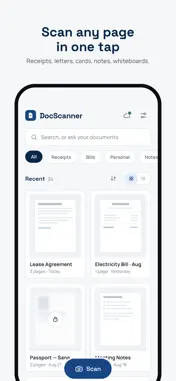
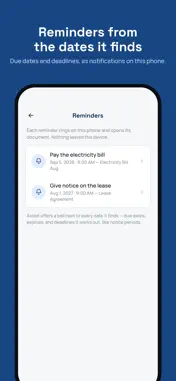
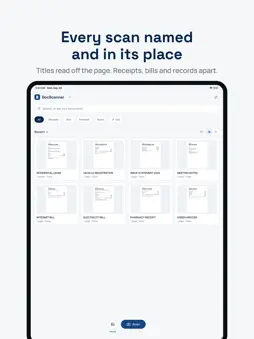
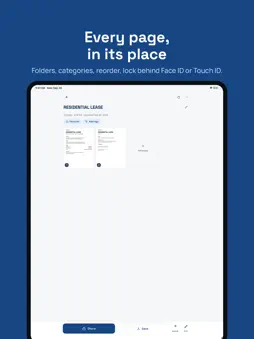
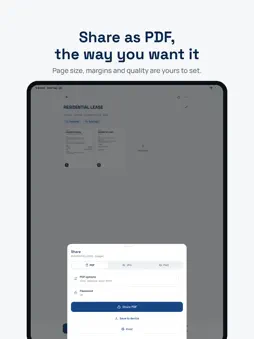
Document Scanner turns a phone photo into a page that looks printed: paper white, ink black, shadows and creases gone. Point the camera at a page and tap, or turn on automatic capture, and it finds the edges, straightens the page and cleans it. Every step runs on the phone unless you use Advanced cleaning. SCAN - Optional automatic capture once the page is in frame and still - Edge detection trained on real photographs of real paperwork - Batch mode for multi-page documents, and an ID card mode that puts both sides on one page - Import photos you already took CLEAN - A cleaner trained on the printed original, so text comes out at its true weight, never smeared or fattened - Shadows, hotspots, colour casts and paper texture removed; stamps, signatures and highlighter kept - Auto, original, colour, black-and-white and greyscale filters, with brightness and contrast adjustments that never overwrite the page ORGANISE - A library with folders, categories and page reordering - Full-text search across every scan - Lock any document behind Face ID, Touch ID or your passcode - Recently deleted keeps documents for thirty days SHARE - PDF with your choice of page size, margins and quality, or JPEG - Share to any app, save to Files, or AirDrop ASSIST Ask a document what it says, when it ends, how much is due, and get an answer that cites the page it came from. Pull a table out of a page into a spreadsheet. Set a reminder from any date Assist finds, such as a notice period or a due date. Assist sends the text of the pages you ask about to Document Scanner's own service, which passes it to Google's Gemini to write the answer. The service does not store it; Google keeps it up to 55 days to check for misuse and does not use it to train its models. Assist asks your permission before its first use. Ten actions a month are included, and Premium gives up to 150. Long documents and translations count as more than one. PRIVACY Scanning, cleaning, search and text recognition happen on your phone. Nothing is uploaded unless you share a document, back up to your own Google Drive, use Assist or use Advanced cleaning. Assist sends only the pages you ask about, after you allow it. Advanced cleaning, part of Premium, sends the pages it cleans to Document Scanner's own service, which deletes each one within an hour. Signing in is optional: a Google or Apple account is asked for only to keep a purchase across phones, and Google's to back up to Drive. Premium is an auto-renewing subscription, monthly or annual. Terms of Use: https://wazeem.com/apps/document-scanner/terms/ Privacy Policy: https://wazeem.com/apps/document-scanner/privacy/
What's New
Version 7.6.32 2026-10-31
Shared PDFs are now searchable in every script the app reads, Hindi, Chinese and Japanese included, and their text can be copied in any reader. Each page tells ...Shared PDFs are now searchable in every script the app reads, Hindi, Chinese and Japanese included, and their text can be copied in any reader. Each page tells you when Advanced cleaning is waiting and why, with Try again, and cleaning resumes by itself once you are back online. Deleting a page no longer needs free space. Add pages opens the camera in the mode you used last. Smoother scrolling. Small fixes. Technical Analysis
Package Overview Basic metadata
Bundle ID
com.wazeem.documentScanner Current Version 7.6.32
Minimum iOS 15.0
Package Size App Store Size
Package Metadata 0 / 0 version records
Detailed binary, privacy manifest, framework, and Info.plist results have not been indexed for this package yet. The verified App Store and archive metadata above remains available.
Developer Information
Known Version Records
0 version records with stored package metadata
Stored metadata does not guarantee a package is currently available to download.
| Details | Version / IDs | Version date | Action |
|---|